

Connectors
Files, URLs, Notion, Confluence, Drive, and SharePoint.
Attach to nodes
Attach collections (not individual files); set threshold and top k.
Graph Studio
Design Agent Graphs that ground answers in collections.
Workspace overview
Sidebar IA: Agents, BUILD, OPERATE, ACCOUNT.
Where in the product
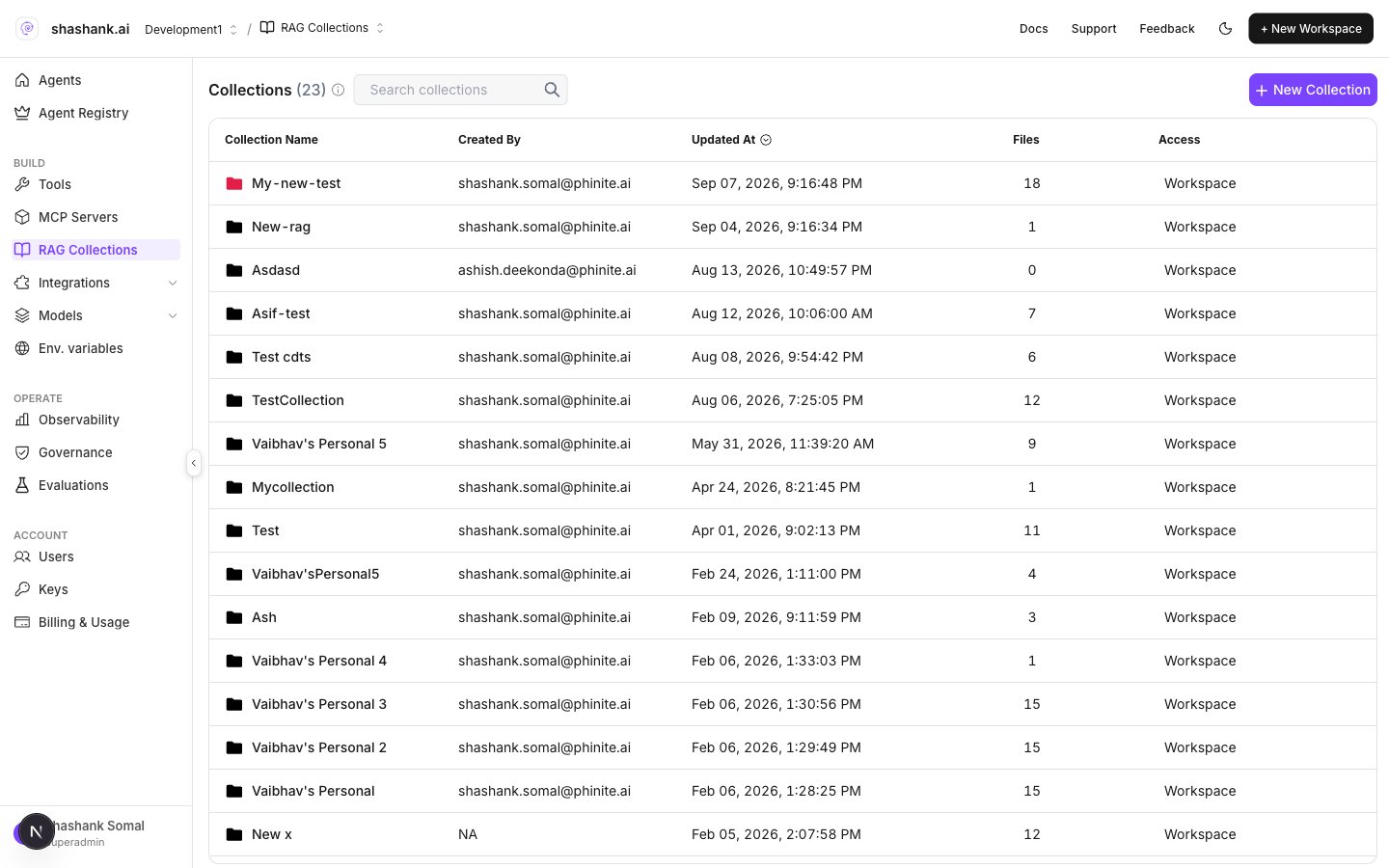
RAG Collections — workspace list
Collections vs node attach
Attached collections appear on the node card (folder badge) and in the drawer under Knowledge.
Create a collection
- Open BUILD → RAG Collections.
- Click + New Collection (Create Collection).
- Set name, optional color, chunk size, and chunk overlap, then confirm.
- Open the collection to add sources.
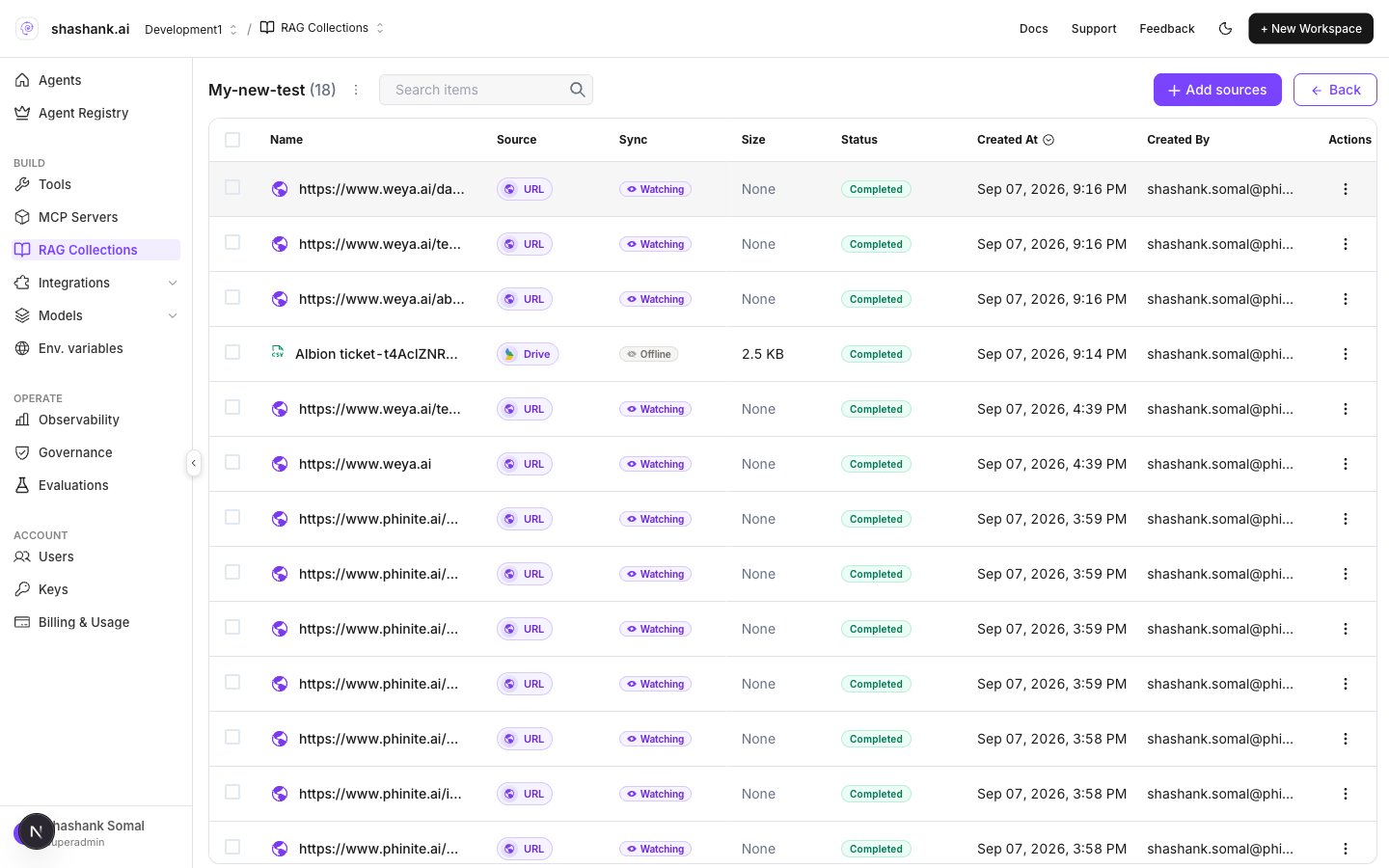
Collection detail — sources and indexing
Chunk size and overlap
Set chunk size and chunk overlap when you create the collection (also visible under Collection configuration). Overlap must be less than chunk size.
Larger chunks preserve context; smaller chunks improve precision for narrow questions. Re-index after changing chunk settings when the UI prompts you.
Next steps
- Add connectors (files, websites, wikis, synced folders).
- Attach collections on Master or Child Agent nodes.
- Save the Agent Graph, then Build — builds pin the RAG collection snapshot used at runtime.