

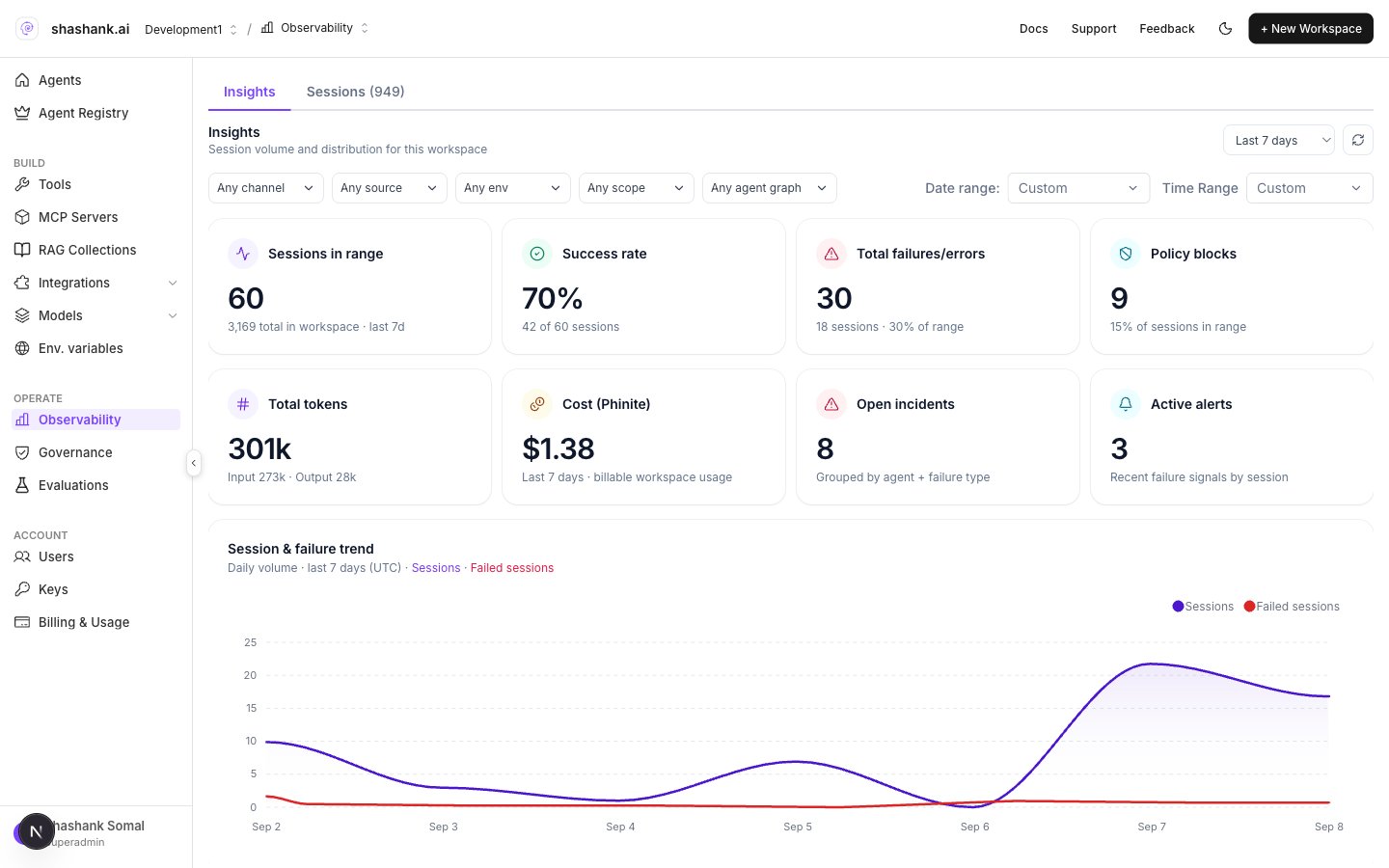
Observability Insights
Insights
Range and filters
- Range: Last 24 hours · Last 7 days · Last 30 days · Last 90 days
- Filters: channel, source, env, scope, agent / flow
- Refresh
KPI tiles
Charts and lists
- Session & failure trend (Sessions · Failed sessions)
- Agent health (Agent, Health, Sessions, Success, P95, Cost / session, Alerts)
- Failures & errors breakdowns
- Breakdowns By channel / By source / By environment (click to filter Sessions)
Sessions
Switch to Sessions (?tab=sessions) or drill from an Insights chart.
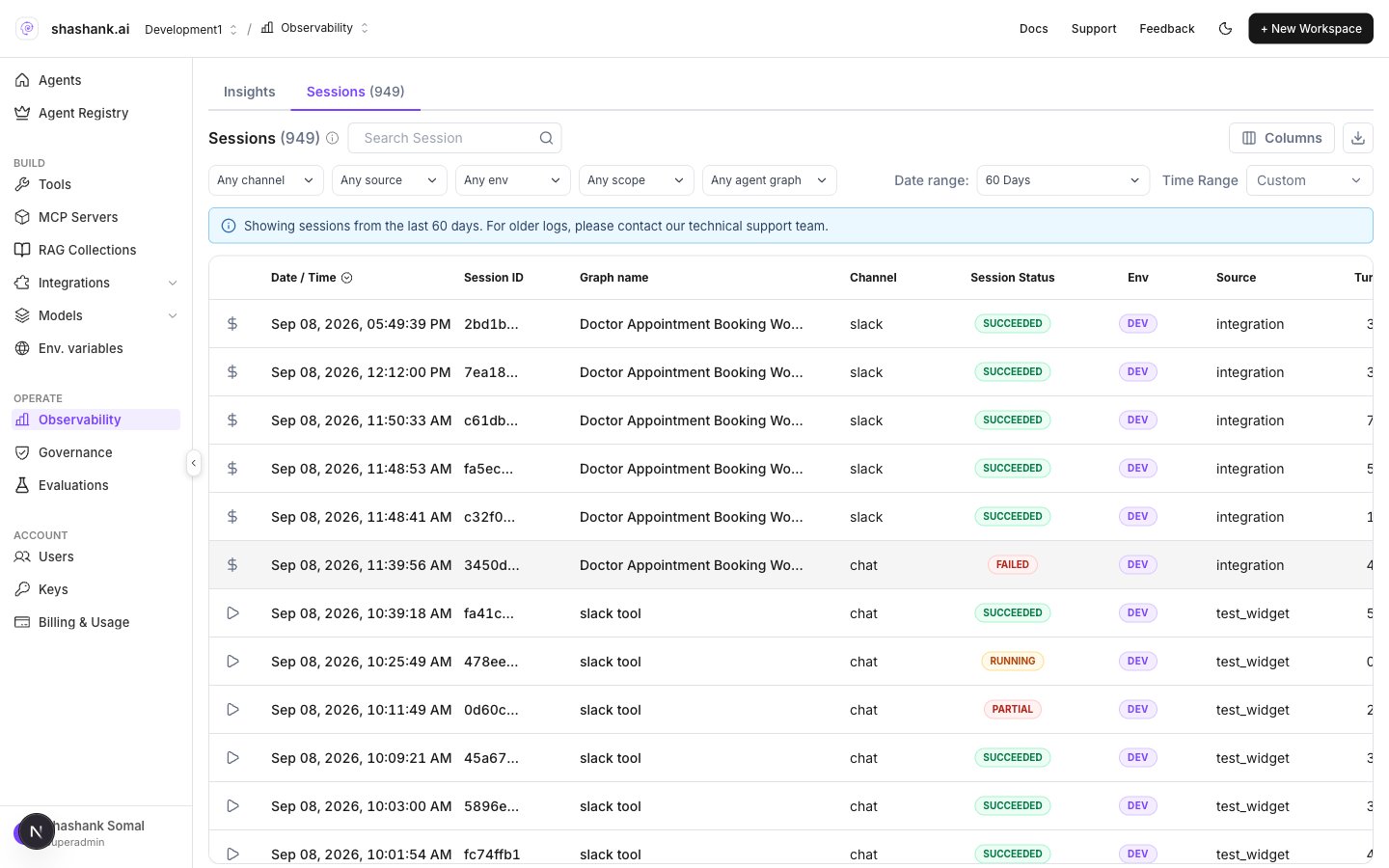
Observability Sessions