

Requires Professional or Enterprise (Pro+). Workspace OPERATE → Governance is Admin / Superadmin only. Studio read uses
workspace.governance.read; create/attach need write permissions.Setup guide
Create policy → attach → approval delivery → triage.
Tool policies
Allow, Human approval, Deny — wizard steps.
HITL & HIL New
Human-in-the-loop policies and destination profiles.
Approvals
Accept or Reject pending tool calls.
Guardrails
LLM safety (separate chapter).
Where in the product
Workspace tabs
Toolbar on Policies / Guardrails: Last 7 days / Last 30 days / Last 90 days · Refresh. Optional
?view=sessions drills into session history for policy or guardrail purpose.
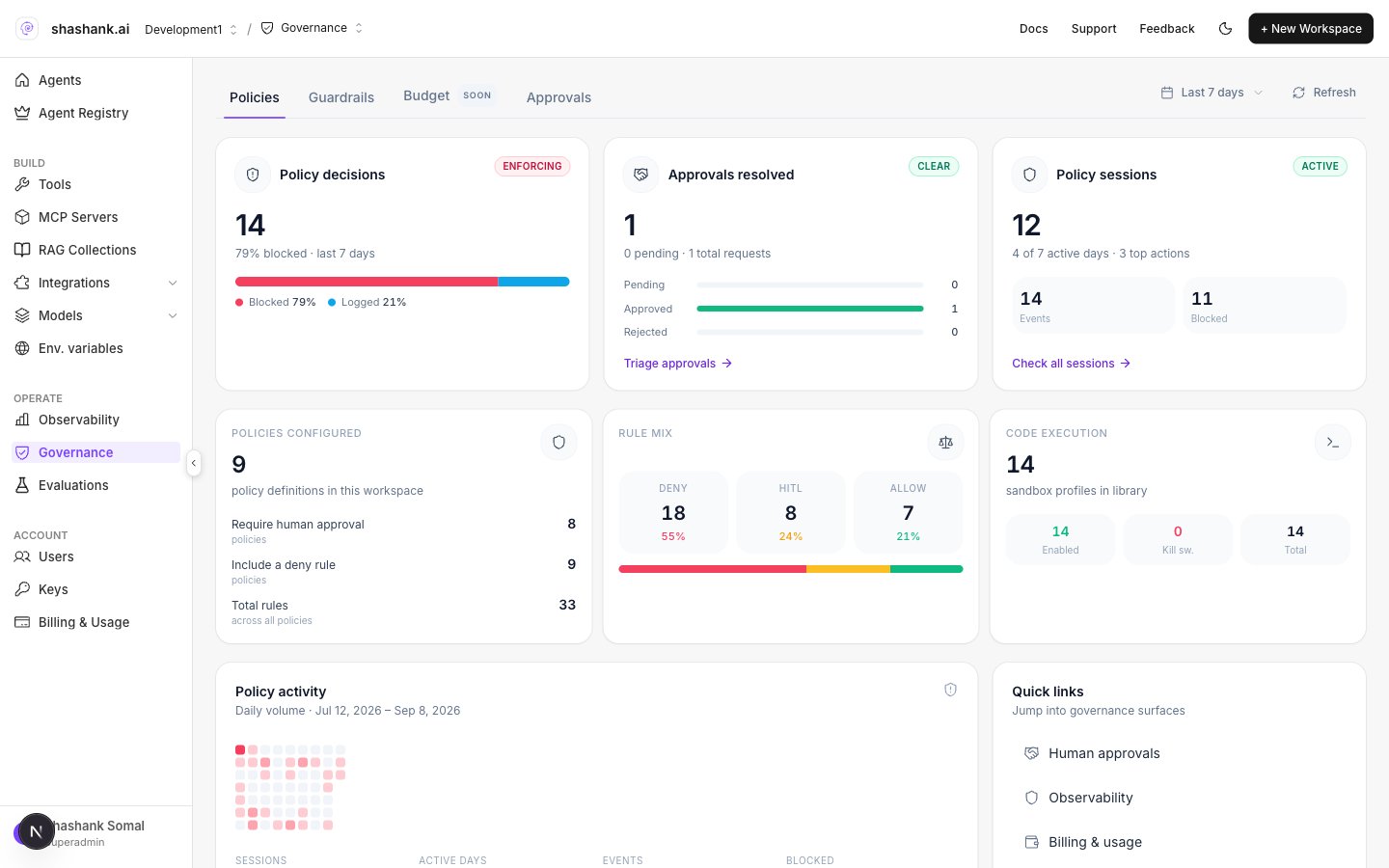
Workspace Governance — Policies tab
Policies analytics labels
Quick links: Human approvals · Observability · Billing & usage.
Studio Governance modules
Open an Agent Graph → Governance. Chrome title Governance. Tabs: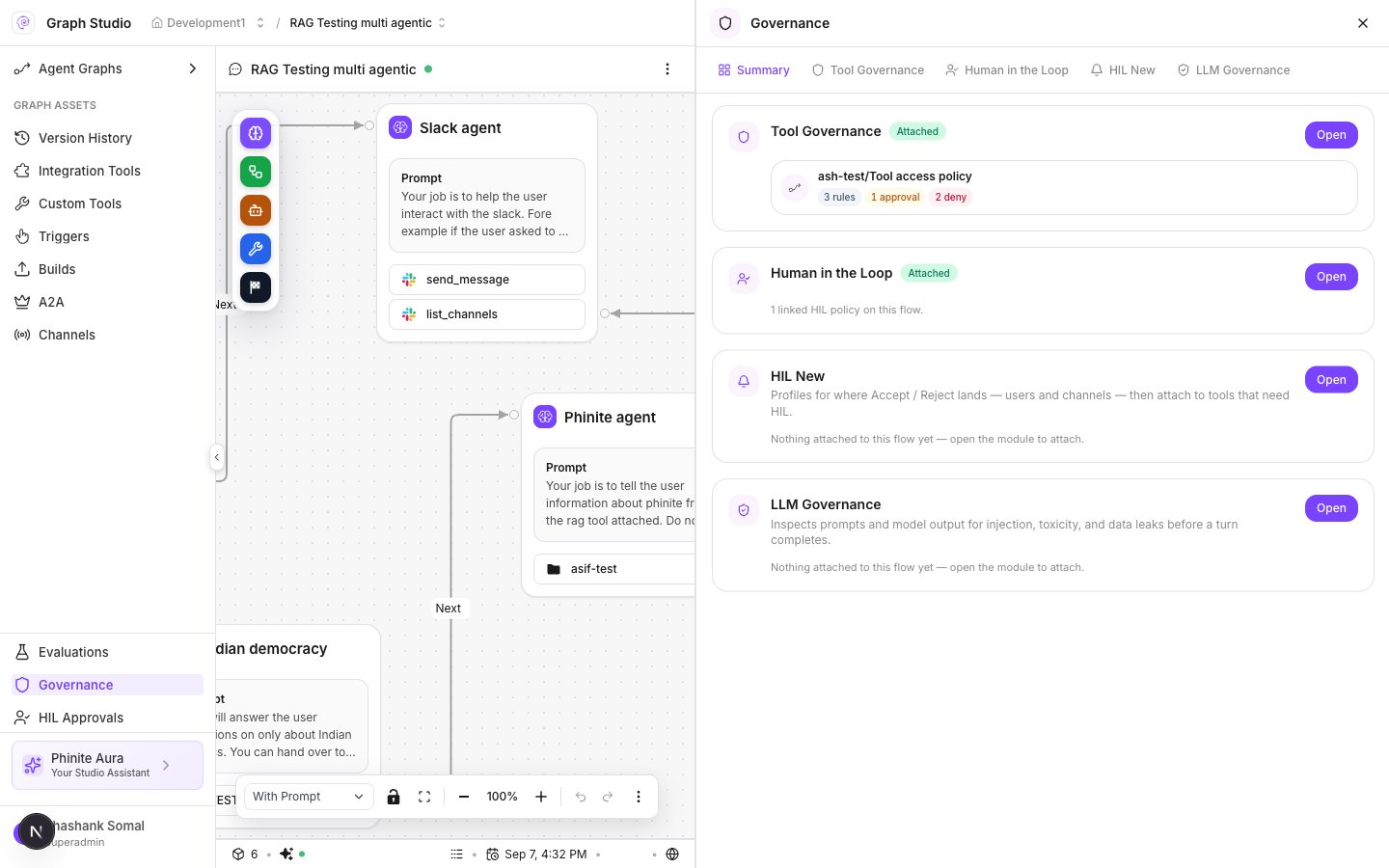
Studio Governance Summary