

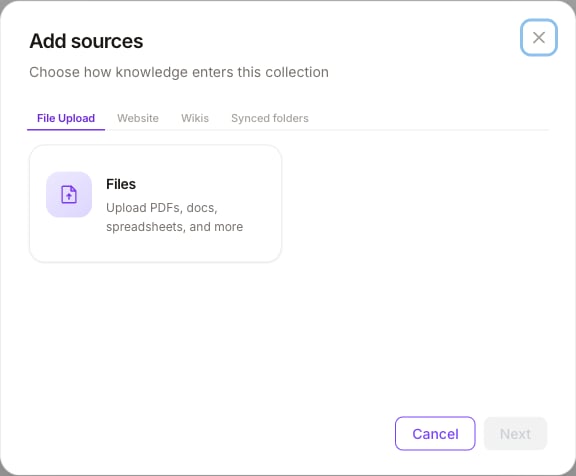
Add sources — choose how knowledge enters this collection
Connector groups
Exact connector availability follows your workspace integrations and account links. Complete OAuth or credentials when the wizard asks before selecting folders or pages.
Add sources
- Open BUILD → RAG Collections and select a collection.
- Click Add sources.
- Pick a tab (File Upload, Website, Wikis, or Synced folders).
- Choose the connector card (for example Files).
- Complete upload, URL, or account/folder selection.
- Confirm — sources appear on the collection and begin indexing.
Add sources is admin-gated: workspace Admin (or Superadmin) roles can manage sources. Users with read-only datasource permissions can open collections but cannot add or sync connectors.
After ingest
- Check file counts and status on the collection list and detail page.
- Adjust chunk size / chunk overlap if retrieval quality needs tuning (see RAG overview).
- Attach the collection to agent nodes in Graph Studio (Attach to nodes).
Related
RAG overview
Collections, chunking, and where RAG lives in the product.
Attach to nodes
Ground agent answers in attached collections.