

What the Agent Registry is
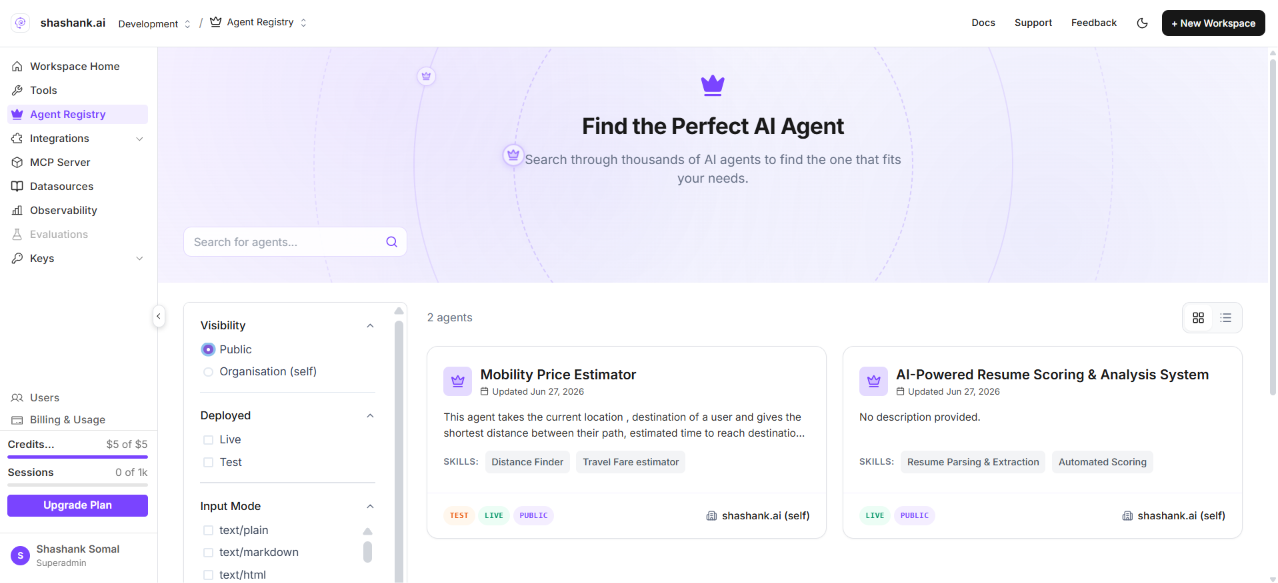
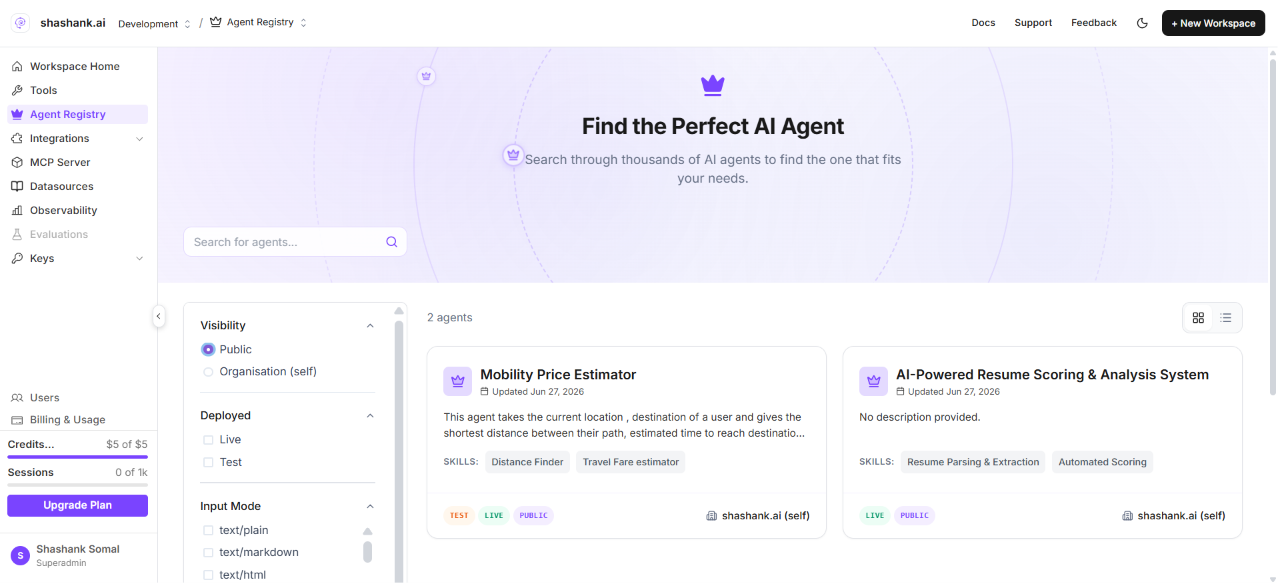
The Agent Registry is your workspace catalog of Agent Cards—registered metadata and hosted endpoints for agent graphs you expose over the Agent-to-Agent (A2A) protocol. Each registry entry ties a published agent graph build to skills, discoverability tags, visibility, and a hosted A2A URL that external systems and other agents can call. Use Agent Registry when you want to:- Publish an agent graph as a callable A2A service (not only run it inside a single assistant).
- Discover agents across your organisation—or, when visibility is public, from compatible clients with a valid API key.
- Compose multi-agent workflows by attaching registry agents to a master agent node in Browse or Discovery mode.
- Call registry agents from Claude using the Phinite Connector (
discover_agents,call_agent, and credential setup).
End-to-end workflow
Access and environment
Sidebar permission:workspace.sidebar.agent_registry (legacy alias workspace.sidebar:agent_registry).
Routes:
- Workspace catalog:
/{organisation}/workspace/{workspaceId}/agent-registry - Project Agent Cards (builds):
/{organisation}/workspace/{workspaceId}/projects/{projectId}/agent-cards - Graph Studio (expose entry):
.../projects/{projectId}/studio
Terminology
Phinite maps industry A2A vocabulary to product labels as follows:
Some canvas labels still say Agent Block (for example in the browse panel); documentation uses Agent Node as the preferred term. See the Agent Registry glossary for MIME modes and API field names.
Next steps
Invoke from Claude
Install the Phinite Connector, discover agents, and run tasks from Claude.
Expose an agent
Register an agent graph with the three-step Expose wizard.
Registry agent nodes
Browse vs Discovery on the Graph Studio canvas.
Browse the catalog
Search, filter, and inspect registry entries.
Agent Cards & builds
Manage test and live builds; push to production.
Endpoints & lifecycle
Hosted URL patterns, auth, and promote-live.
Glossary
Industry terms, MIME modes, and UI label mapping.