

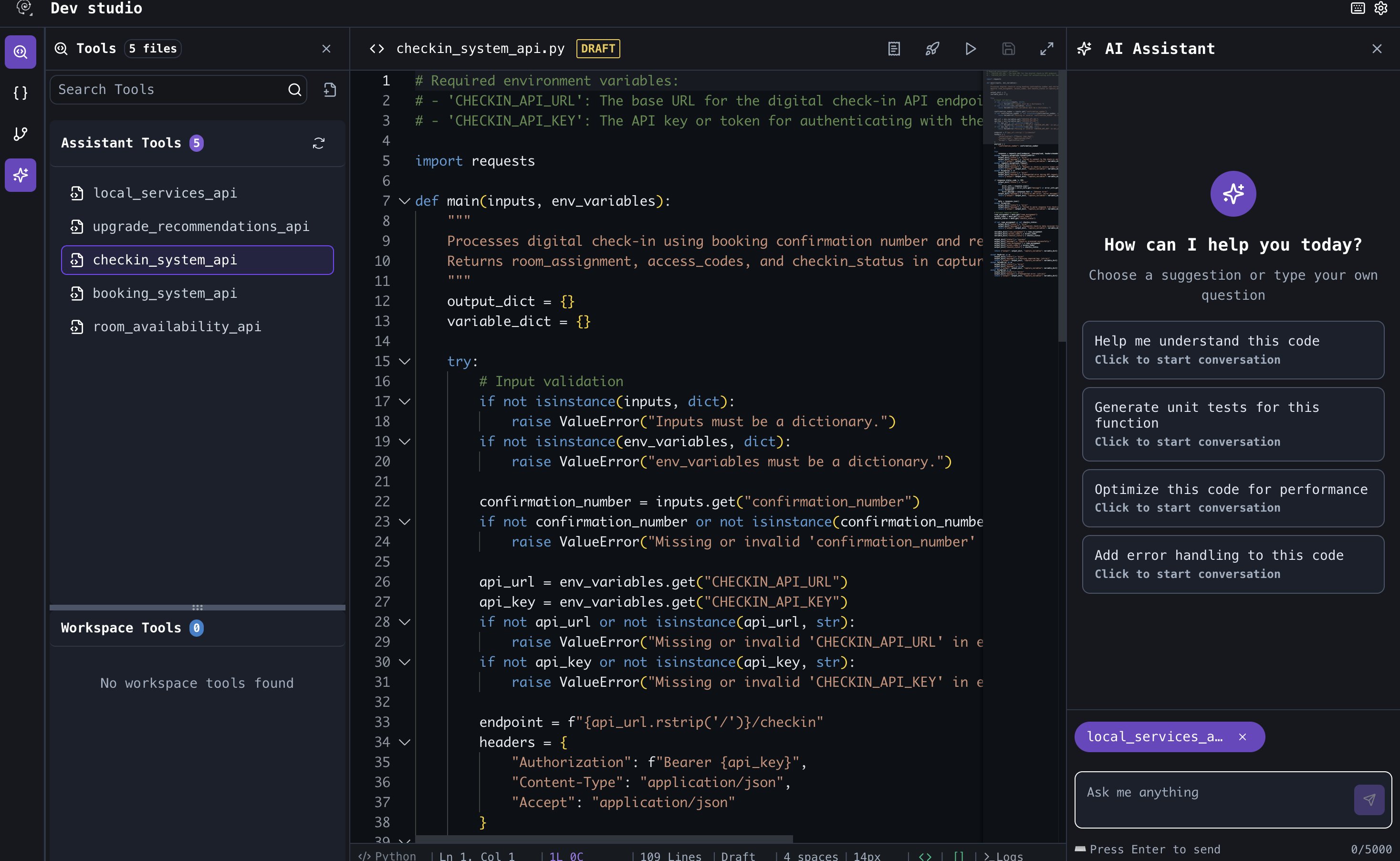
Tools & Dev Studio is the workspace editor for reusable, versioned functions that Master Agent, Child Agent, and Tool nodes call during an Agent Graph run.

Methods

Copilot scaffolds or manual Python.

Custom tools

Structure, test, publish, attach in Graph Studio.

Predefined tools

Integrations Hub — not authored in Dev Studio.

Env. variables

Secrets for tools at DEV / UAT / PROD.

Create, attach, and pin tools

Use these workspace and Graph Studio surfaces at each stage of the tool lifecycle:
Tools in the workspace sidebar is where you author and version tools. The node drawer Tools tab is where you attach them to a graph step.
Workspace Tools list

Workspace Tools — list and Open Dev Studio

Golden path

  1. Create a tool → implement in Dev Studio (Methods).
  2. Define structure and test (Custom tools).
  3. Publish a version.
  4. Attach in Graph StudioSaveBuild.

Tool types

System tools

Mention each in the agent prompt when it should be called.

Test tools

Run tools in the Dev Studio Test tab before publish:
  1. Enter sample input JSON for inputs.
  2. Select Dev, UAT, or Prod so env_variables resolve correctly.
  3. Review output and captured_variables.
Full procedure: Custom tools — Test.

Publish versions

Only published versions appear in Graph Studio and pin on Build. Draft → test → Publish with release notes → attach in Graph Studio. Unpublished tools show Publish in the Build dialog. Roll back by re-attaching a prior version. Full procedure: Custom tools — Publish.

Logs and debugging

After linking a tool to a graph: