

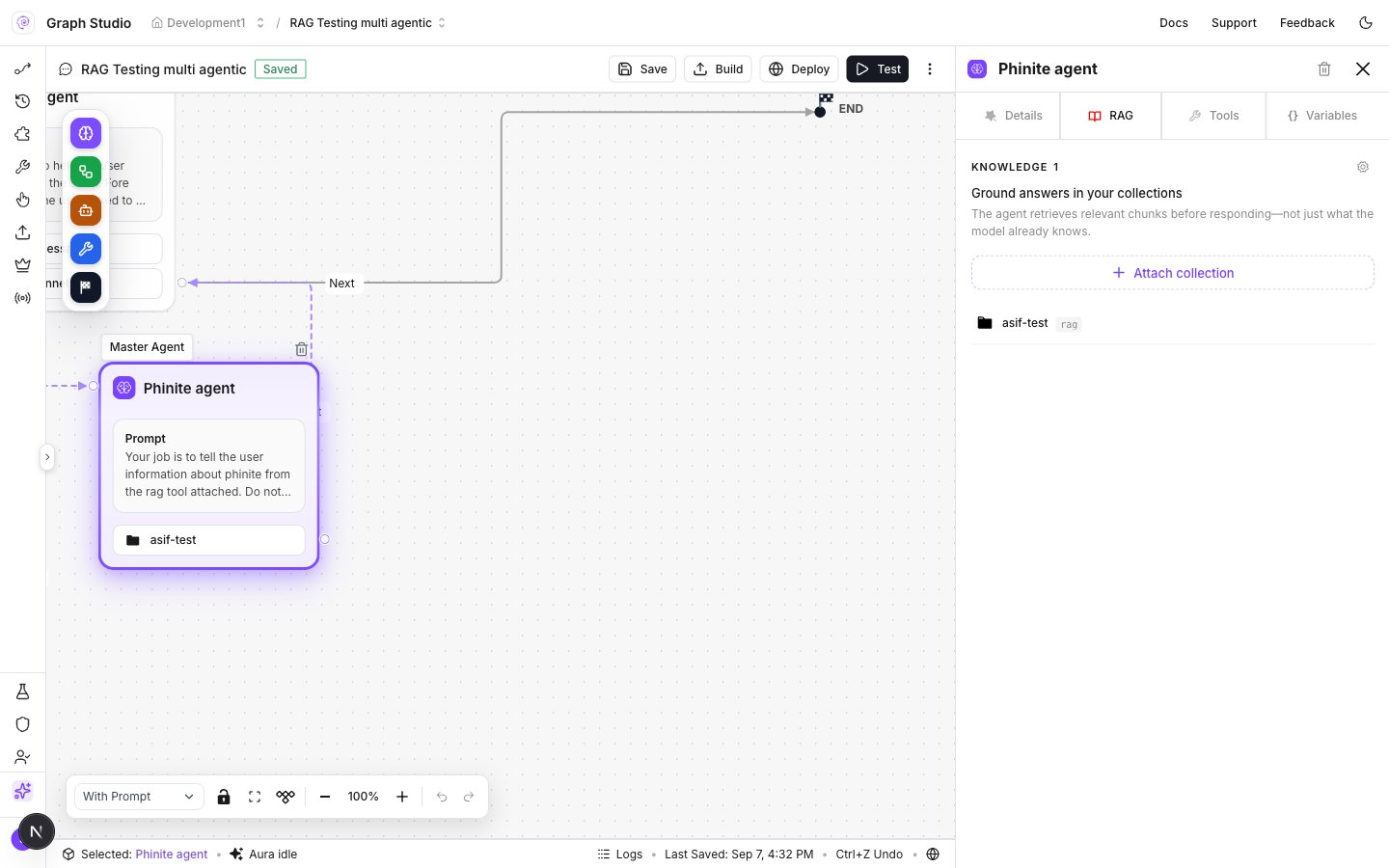
Node RAG tab — Attach collection and Knowledge list
Attach a collection
- Open the Agent Graph in Graph Studio.
- Select a Master Agent or Child Agent node (double-click if the drawer is closed).
- Open the RAG tab.
- Click Attach collection.
- Select one or more workspace collections, then confirm.
- Click Save on the Studio toolbar.
The drawer copy reads Ground answers in your collections — the agent retrieves relevant chunks before responding, not only what the model already knows.
Threshold and top k
On the RAG tab, set retrieval controls for the node:
Raise top k when answers need broader context; raise threshold when you want only strong matches. Changes persist on the node when you commit the sliders/steppers — still Save the graph before Build.
Detach or view
- Use View on a collection row to open collection details.
- Remove a collection from the node when it should no longer ground that agent.
- Manage sources and chunking on BUILD → RAG Collections (connectors).
Related
RAG overview
Workspace collections and chunking.
Node library
Agent node drawers: Details, RAG, Tools, Variables.