

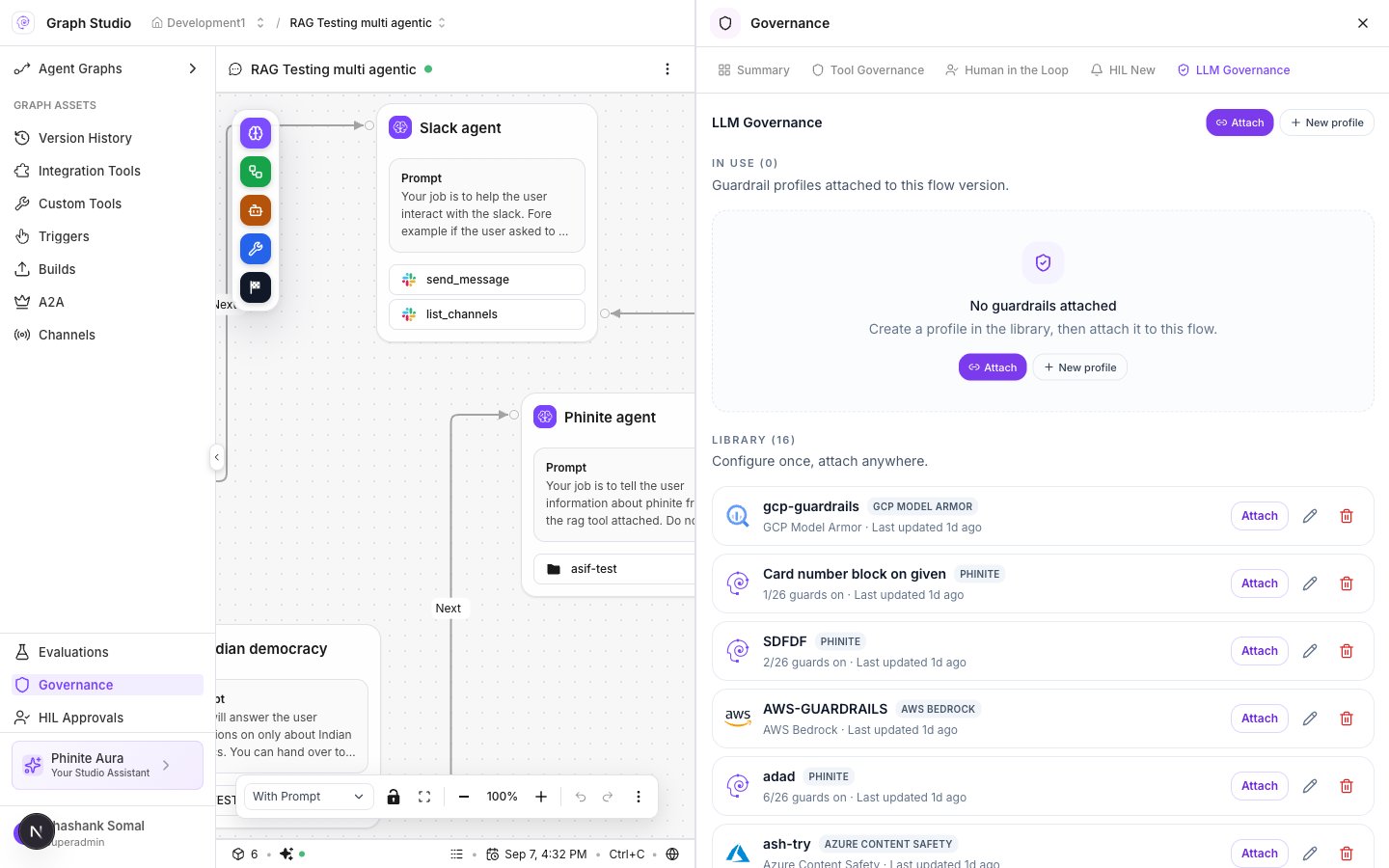
LLM Governance — Attach from library
Attach wizard
- Open Graph Studio → Governance → LLM Governance.
- Click Attach (header or on a library row).
- Modal title: Attach guardrails.
- Apply to: Entire flow or One agent (pick the agent node when scoped).
- Select one or more Guardrail profiles.
- Confirm Attach guardrails.
binding_type: "guardrail", guardrail_profile_id, flow_version, optional agent_node_id, workspaceId / flowid.
In Use
Attached profiles appear under In Use (N) for this flow version. Detach or edit from the row actions. Summary’s LLM Governance card shows whether anything is attached.From Summary
On Governance → Summary, open the LLM Governance card → Open to jump to the module, then attach.Related
- Create profiles
- Guardrails overview
- Tool policies (separate binding type:
policy)