

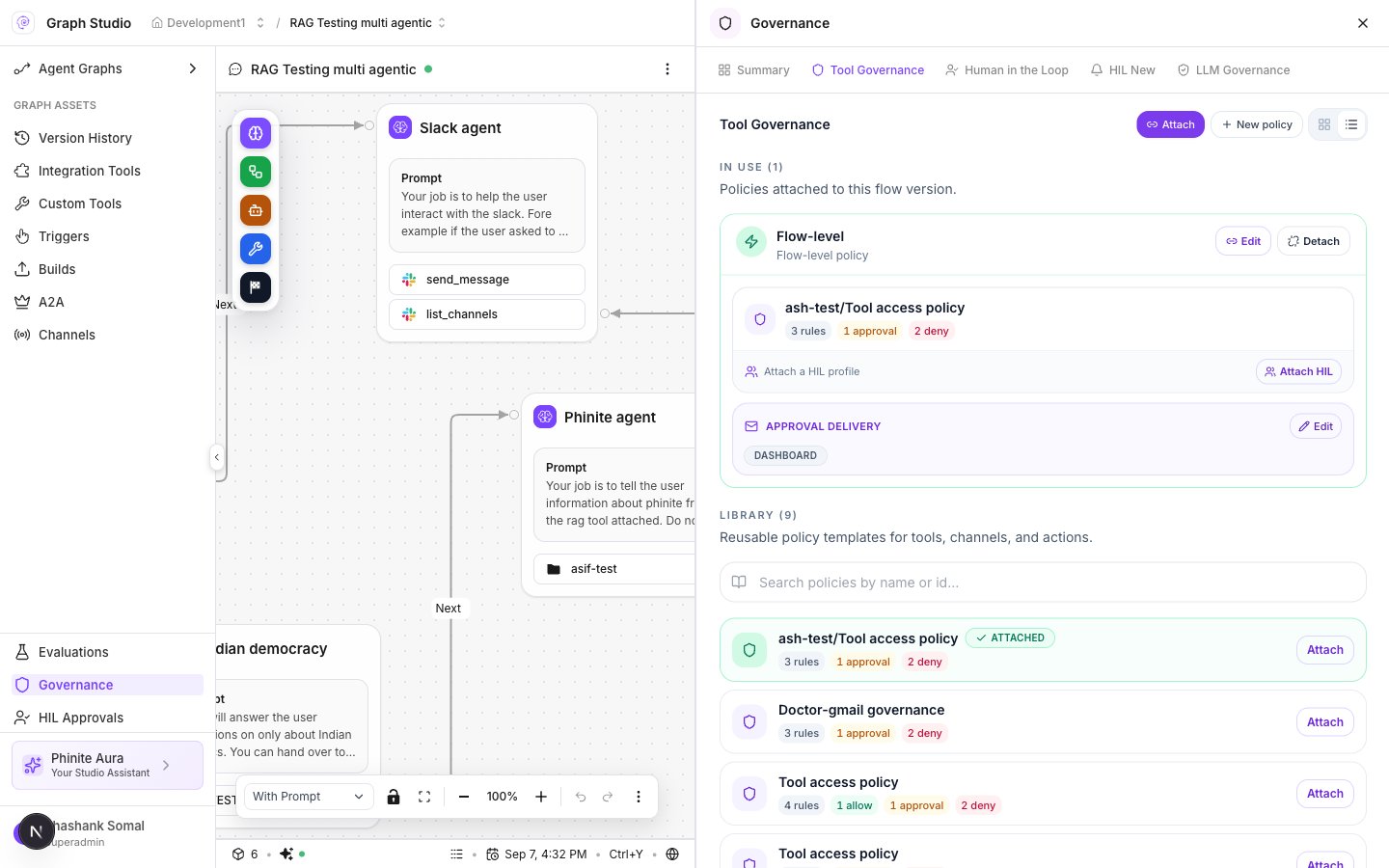
Studio Tool Governance — In Use and Library
Rule effects
Policy cards summarize rule counts (for example
3 rules, 1 approval, 2 deny).
Create a policy (Studio wizard)
In Graph Studio → Governance → Tool Governance → create / New policy. Steps are dynamic:
Navigation: Continue to the next step · Back · final save.
Attach a policy
- Open Tool Governance.
- Under Library, choose a policy → Attach (or Attach governance).
- Apply to: Entire flow or One agent.
- If the policy has Human approval rules, complete Approval delivery:
- Channels: Dashboard and/or Email
- Users (email recipients) when Email is on
- Confirm attach. Binding stores
binding_type: "policy",policy_ids,flow_version, optionalagent_node_id, andapproval_notification.