

About Phinite
Platform overview and golden path.
Agent Graphs
Conversational vs Autonomous graph types.
User roles
RBAC for developers, admins, and testers.
Workspaces help teams isolate projects, manage access levels, and reuse tools and integrations across Agent Graphs within a common environment.
Workspace Home
Workspace Home provides a quick overview of your Agent Graphs and workspace-level activity.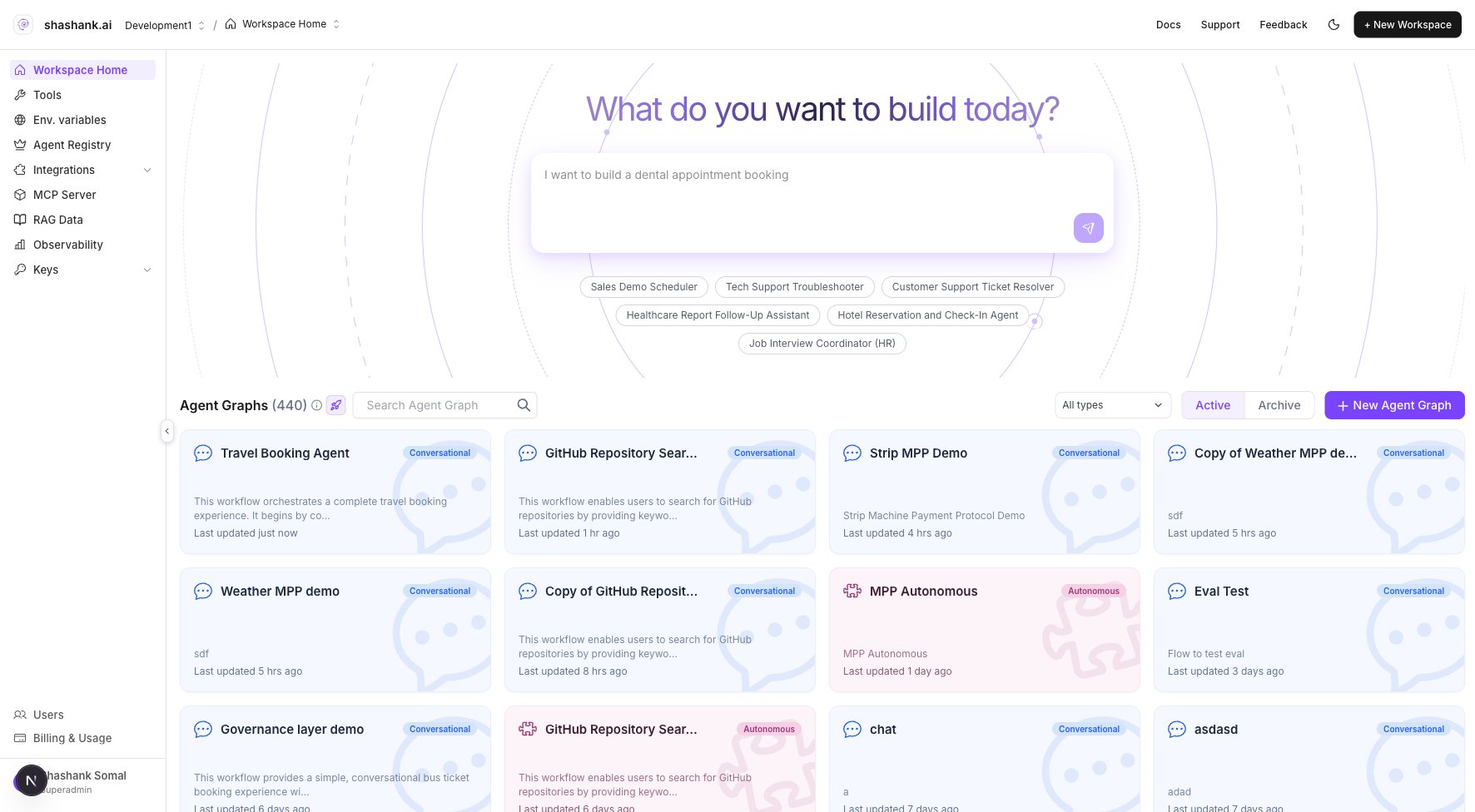
Workspace Home — Agent Graph list and create entry point
Depending on workspace configuration, the home page may also display activity logs, performance charts, or project summaries.
Multi-workspace access
From the global header, switch between workspaces or create new ones if you have permission.- Click the workspace name in the header.
- Select an existing workspace or Create workspace (Super Admin / Admin).
- Super Admins can assign Admins to manage each workspace independently.
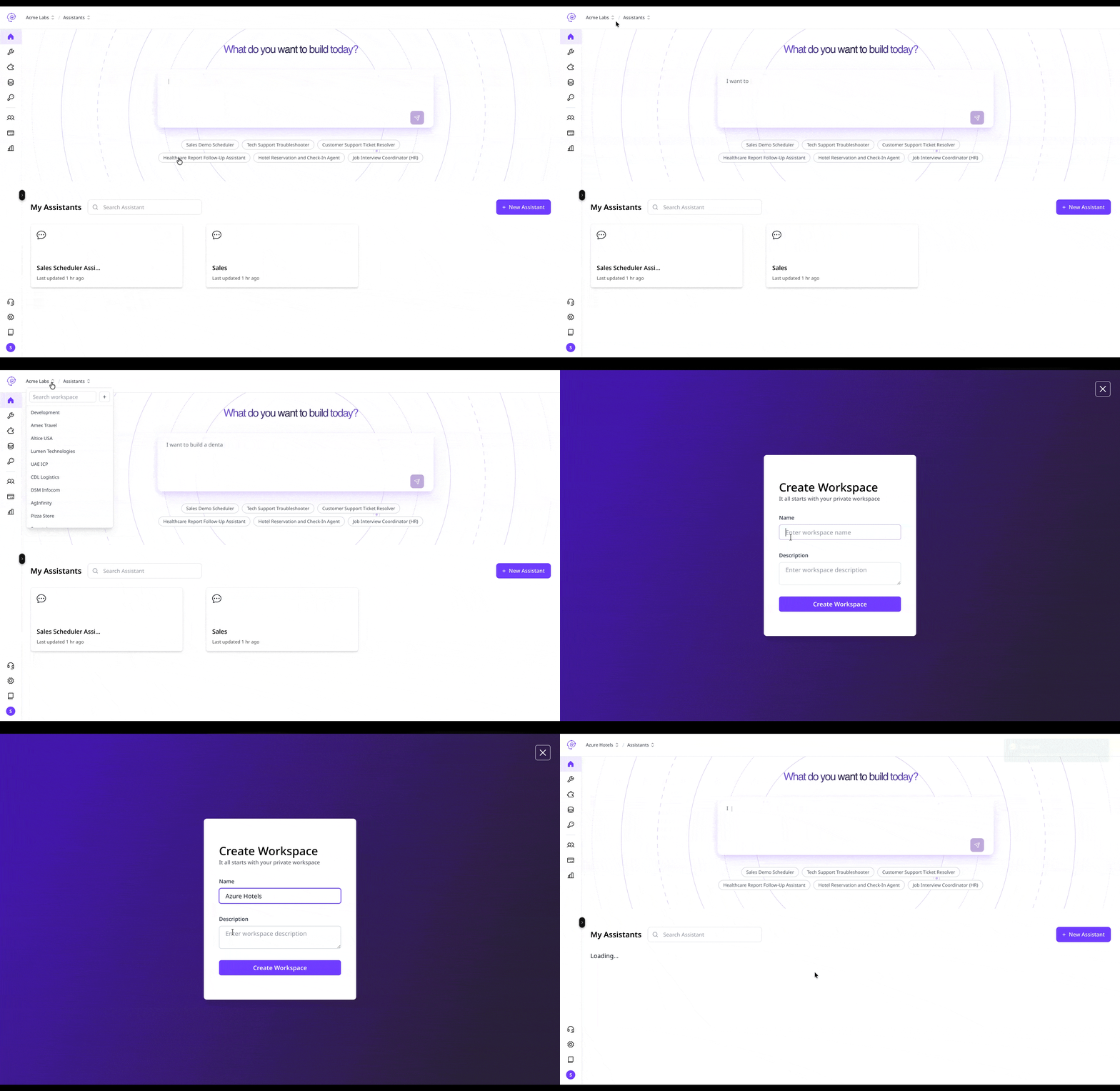
Create workspace — organization-level setup
If you see multiple workspaces in the dropdown, your organization supports multi-workspace collaboration.
Sidebar navigation
Each workspace sidebar is your main navigation panel.Agent Graphs
Agent Graphs are the core objects in a workspace. Create Conversational or Autonomous graphs from Workspace Home, then open each graph in:
Agent Graphs in a workspace share tools, integrations, and RAG Data collections.
Tools
Workspace Tools are reusable components any Agent Graph can call at runtime:- Custom Python handlers
- Prebuilt integration subtools
- System tools and utility functions
Integrations
Integrations connect your workspace to external systems and communication channels.
Authenticate once under Integrations, then wire channels and triggers to deployed builds. See Configure integrations and Channels overview.
Agent Registry
Agent Registry is the workspace catalog of agents exposed over the Agent-to-Agent (A2A) protocol. Open it from the sidebar when your organisation grantsworkspace.sidebar.agent_registry.
Use it to:
- Expose published agent graphs as hosted A2A endpoints
- Browse organisation and public Agent Cards
- Compose multi-agent flows with registry agent nodes in Graph Studio
RAG Data
RAG Data manages workspace knowledge collections used by agent nodes for retrieval. Supported sources include PDF, CSV, text documents, structured datasets, and API-connected endpoints. Organize content into collections referenced in Graph Studio RAG.Env. variables
Env. variables store DEV / UAT / PROD secrets and configuration. Tools and builds read these at runtime — never hard-code credentials in tool code. See Env. variables.API Keys
Generate workspace-level API keys for programmatic access:- Trigger Agent Graph runs from external applications
- Authenticate Chat API and trigger webhooks
- Regenerate or revoke keys as needed
Users
Admins and Organization Owners manage workspace members — invite users, assign roles, or remove access.
See Access controls and User roles.