

Documentation Index

Fetch the complete documentation index at: https://docs.phinite.ai/llms.txt

Use this file to discover all available pages before exploring further.

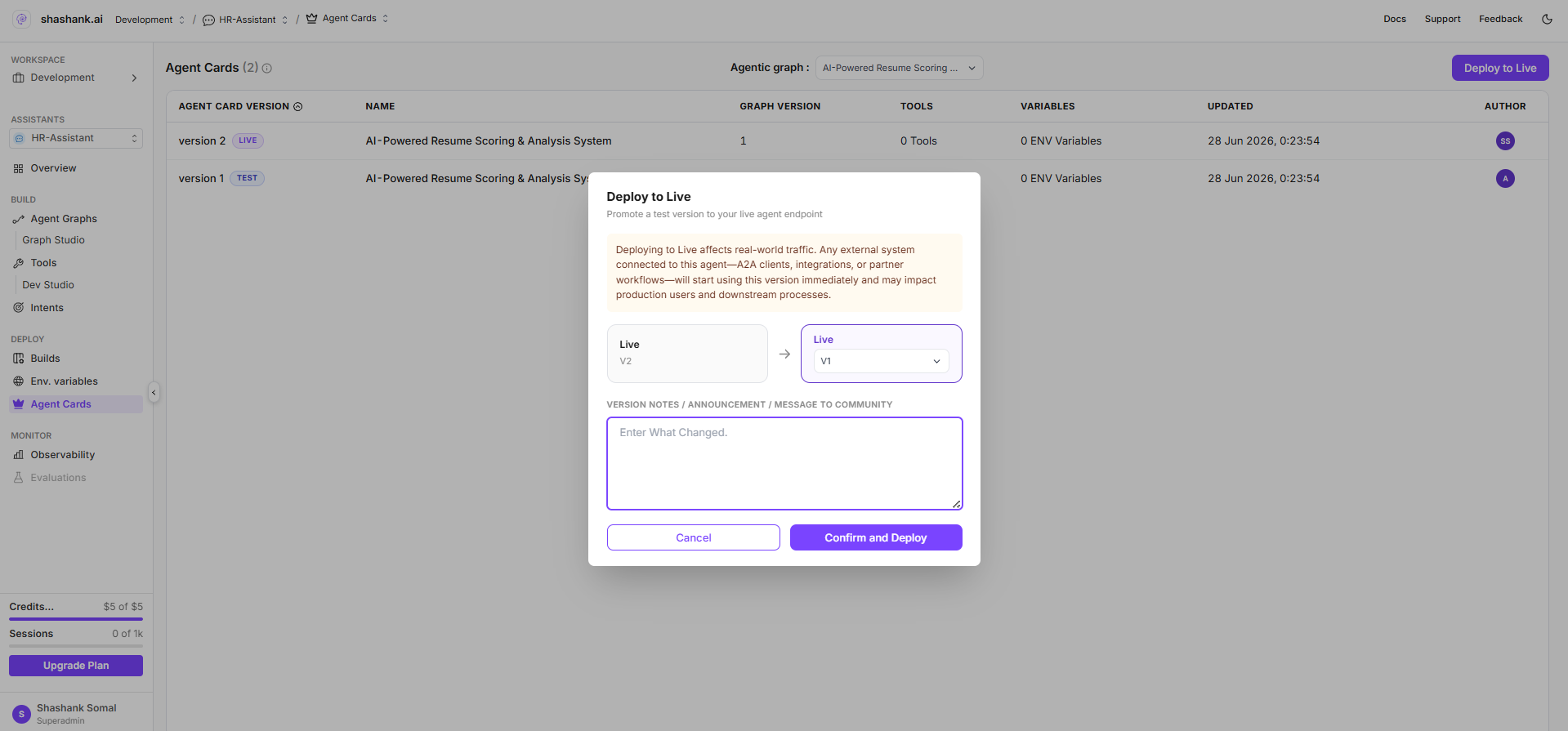
Agent Cards is the project-scoped view of A2A registry builds for each exposed agent graph. Use it to inspect build history, compare test and live deployments, and promote a build to production. Agent Cards page with build table and Push To Prod

Open Agent Cards

Route: /{organisation}/workspace/{workspaceId}/projects/{projectId}/agent-cards The page appears in the project sidebar for conversational and voice assistants when workspace.sidebar.agent_registry is granted (same permission as workspace Agent Registry). Like other registry features, it is typically visible in local/dev environments. You can also reach Agent Cards from Graph Studio via Configure AgentExpose as AgentSee Agent builds.

Page layout

ElementDescription
TitleAgent Cards with total build count
Agentic graph dropdownFilter builds by agent graph (flowid); options from GET /a2a-registry?flow_list=true
Build tableRows per registry build: build number, status, name, description, tools/env counts, updated date, author
Push To ProdOpens promote modal to move a test build to live
While data loads, the page shows Loading builds….

Build rows

Each row represents one POST /a2a-registry registration (one expose action). Key fields:
Column / fieldSourceNotes
Build numberbuild_noAuto-incremented per workspace + agent graph
Statustest or liveBadge: TEST or LIVE
Name / descriptionagent_cardAgent Card from expose wizard
Tools / envtool_config, env_variableExported configuration counts
Registry IDa2aregistryidUsed in test hosted URLs
Builds sort by most recently updated first.

Test vs live

StatusPurposeHosted URL
TestValidate Agent Card, skills, and integrations before broad use{gateway}/api/v1/ai/a2a/{flowId}/{registryId}
LiveProduction endpoint for the agent graph (only one live row per graph per workspace){gateway}/api/v1/ai/a2a/{flowId}
See Endpoints & lifecycle for URL and auth details.

Promote to production

  1. Click Push To Prod (tooltip: Push the selected build to production).
  2. In the modal, select the test build to promote.
  3. Confirm promotion.
The app calls:
PUT /api/v1/a2a-registry/{a2aregistryid}/promote-live
Promotion rules:
  • The chosen build becomes live.
  • Any previous live build for the same agent graph in the workspace is demoted to test.
  • Visibility on the Agent Card is unchanged by promotion—only deployment status updates.
After promotion, refresh the table and verify the live hosted URL on the build row or in Agent Registry.

Create a new build

New builds are created from Graph Studio—not from the Agent Cards page directly:
  1. Publish the agent graph.
  2. Expose as External Agent via Configure AgentCreate New Build.
  3. Return to Agent Cards to compare the new test row with existing builds.

Permissions

ActionPermission
View buildsassistants.flows:read
Promote to liveassistants.flows:update
Sidebar entryworkspace.sidebar.agent_registry

Expose an agent

Create a new test build and Agent Card.

Endpoints & lifecycle

URL patterns and API reference.