

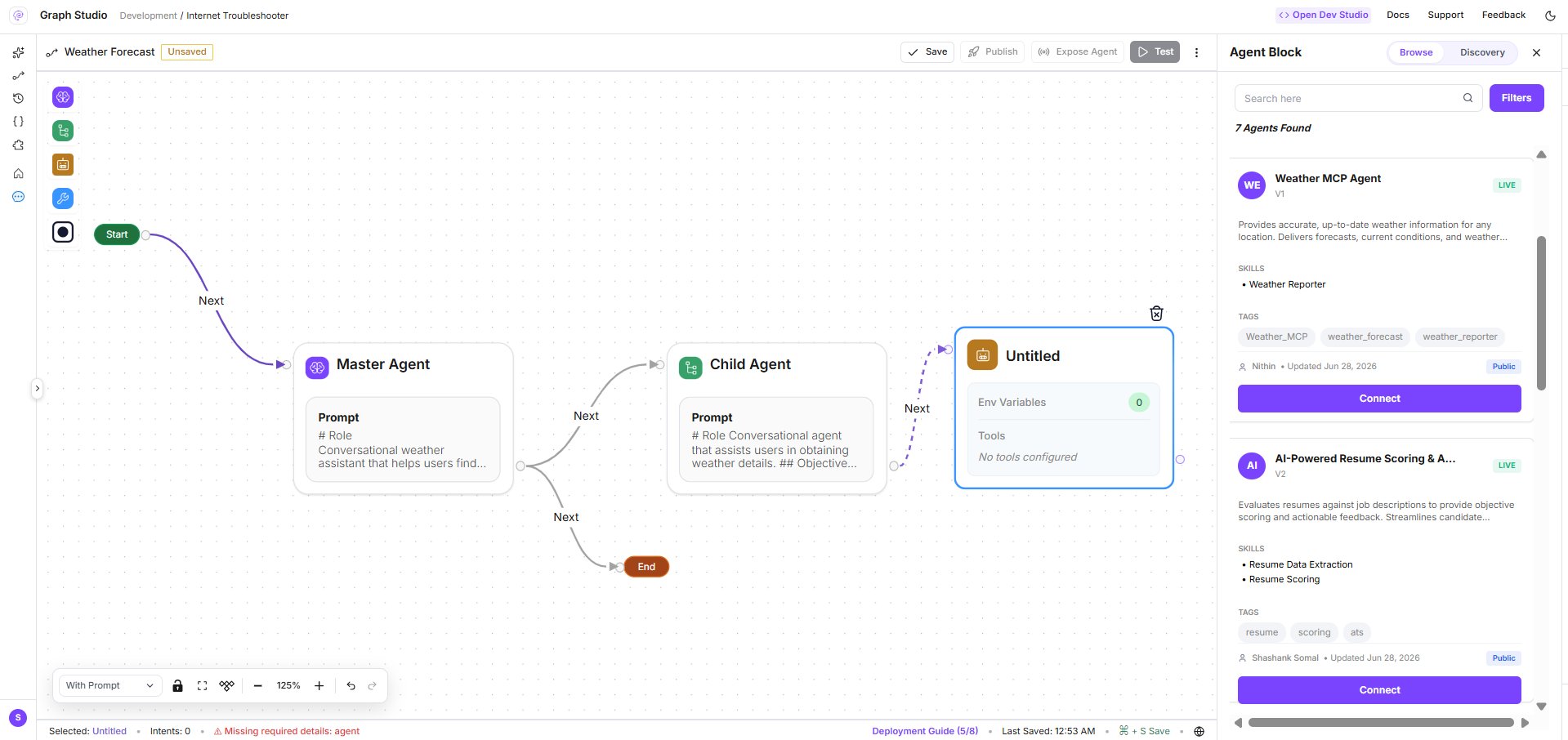
The browse panel title in the product reads Agent Block; documentation uses Agent Node for consistency with Graph Studio agent nodes.
When to use Browse vs Discovery
Both modes require agents to be exposed in the registry with appropriate visibility, skills, and tags. See Expose your agent graph.
Open the registry panel
- Open Graph Studio for your project.
- Add or select an agent node on the canvas under a master (task) agent node.
- When the node is unconfigured—or when you open registry tooling—the Browse / Discovery panel appears on the right.
GET /a2a-registry?workspaceid=...&orgid=....
Browse mode
In Browse mode:- Search and filter agents (visibility, deployed status, MIME modes, tags)—same dimensions as Agent Registry catalog.
- Select an agent card from the list.
- Review the Agent Card preview (hosted URL, skills, build status).
- Click to add the agent to the canvas (or replace the current registry agent node).
a2aregistryid,config_id,flowid,status,apikeyidagent_node_type: "browse"
config_id) and satisfied tool/env requirements before save or publish.
Discovery mode
In Discovery mode the master agent does not point at one fixed registration. Instead you define Discovery filters; at runtime the platform finds registry agents that match.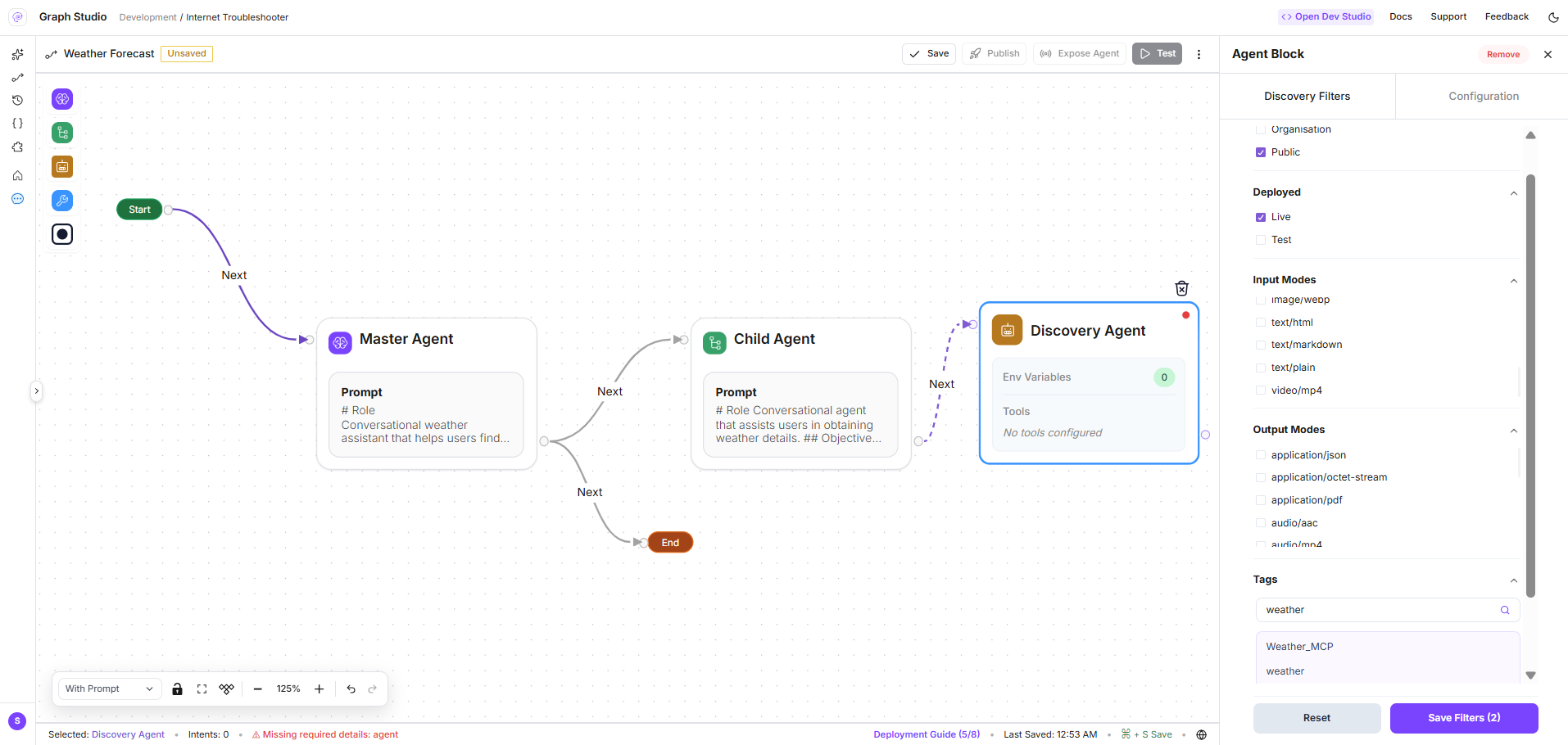
Set Discovery filters
Configure filters parallel to the catalog sidebar:
Click Save Filters to create a Discovery Agent node on the canvas with:
agent_node_type: "discovery"discovery_filters— saved filter object- Default display name: Discovery Agent
In Discovery Mode, the Master Agent will find and attach the agents automatically based on your filter criteria.
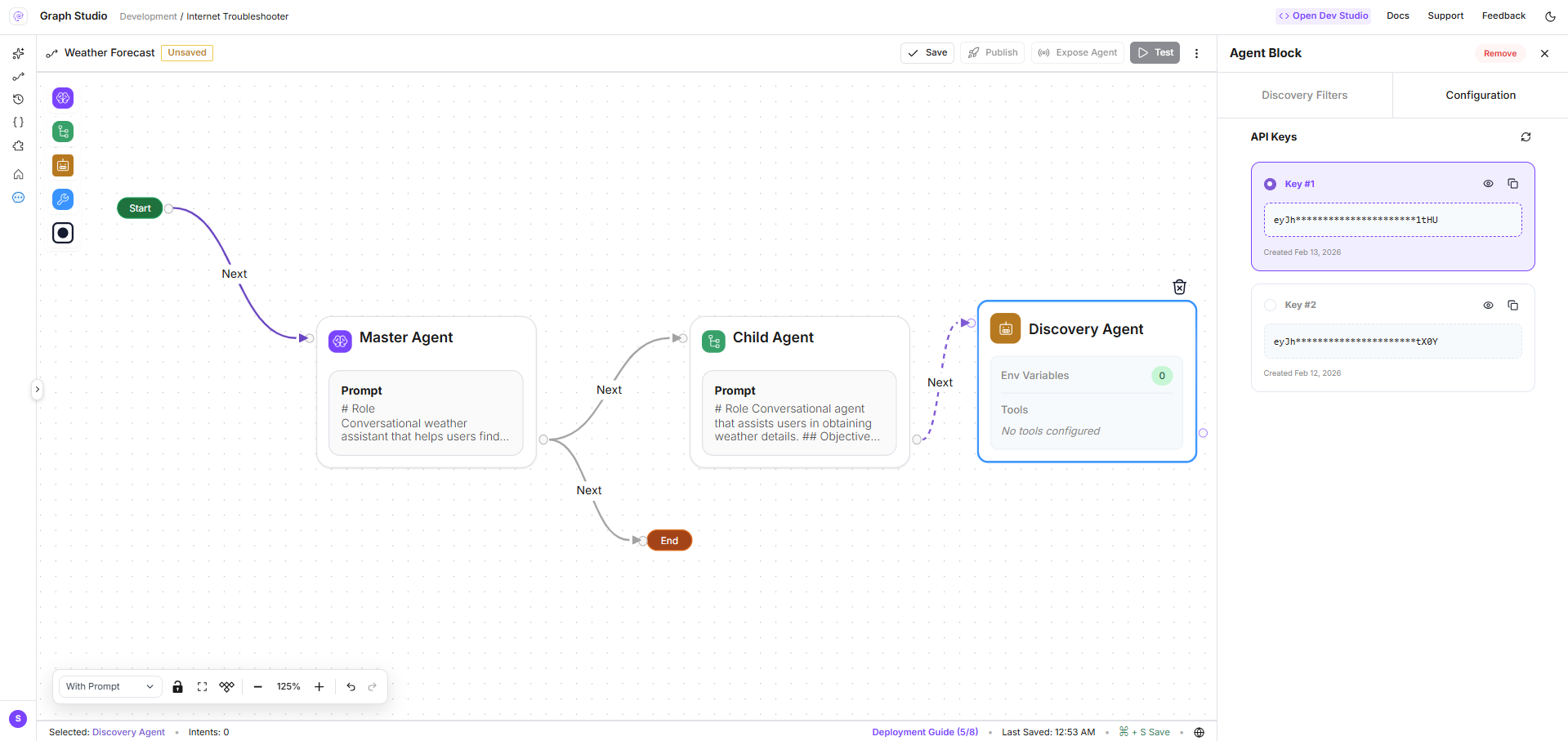
Configure Discovery API key
After saving filters, open the Configuration sub-tab to select the API key the master agent uses when calling discovered agents (apikeyid on the node).
One Discovery node per master agent
Discovery nodes skip the standard per-tool configuration validation used in Browse mode—the filter set defines what may be attached at runtime.Persisted node fields
When you save or publish the agent graph, registry agent nodes include:Permissions
- Configure registry nodes:
flow_gen.studio.save_flowand related Graph Studio permissions - Load registry list:
assistants.flows:read
Related pages
Browse the catalog
Full workspace search and filters.
Endpoints & lifecycle
Hosted URLs and visibility at invoke time.
Agent node anatomy
Prompts, RAG, tools, and variables on standard agent nodes.