

Open Agent Registry
In the workspace sidebar, open Agent Registry when your organisation grantsworkspace.sidebar.agent_registry.
Route: /{organisation}/workspace/{workspaceId}/agent-registry
The same registry data powers Browse mode on agent nodes in Graph Studio. The workspace page is the full catalog experience with search, filters, and detail views.
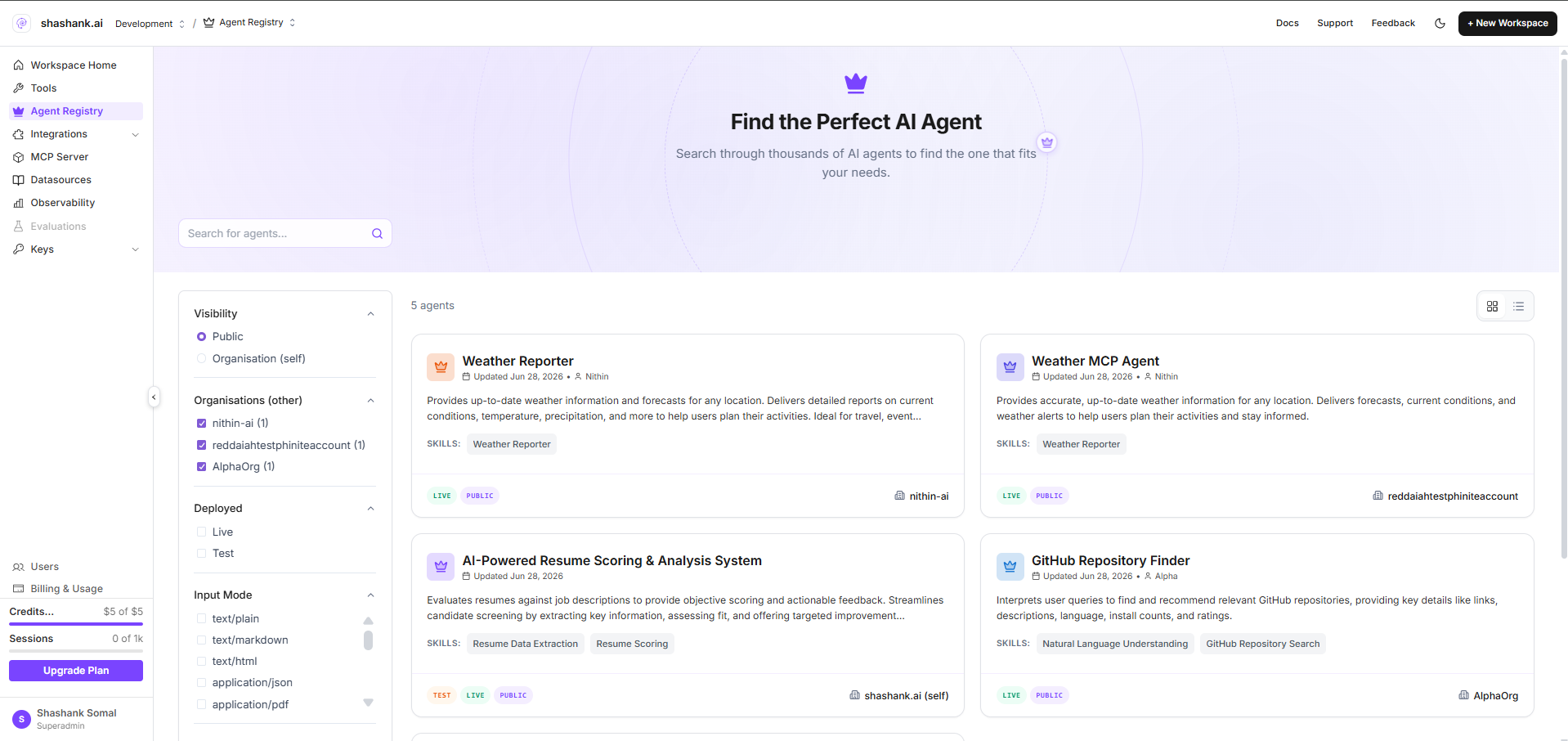
Page layout
Filter dimensions
Filters apply client-side on the loaded registry list in addition to API query parameters described below.
Organisation vs public listings
The UI distinguishes Organisation and Public catalog views internally (filter logic and API params). There is no separate Sample demo tab in the current product.Agent cards in the list
Each card typically shows:- Agent name and description (from Agent Card)
- Deployment badge (Test or Live)
- Visibility (Public or Organisation)
- Skills summary and discoverability tags
- Hosted A2A URL (live builds omit the registry ID in the path—see Endpoints & lifecycle)
 Selecting a card opens a detail panel or modal where you can copy the endpoint and review build metadata.
API reference (listing)
The catalog loads registry rows via the gateway:flowid, visibility, tag, input_mode, output_mode, and paginated page/limit. The workspace page currently loads the full list with pagination=false for client-side search and filters.
Permissions
- View registry:
assistants.flows:read(via gateway auth) - Sidebar entry:
workspace.sidebar.agent_registry
Related pages
Expose an agent
Create a new registry entry from Graph Studio.
Registry agent nodes
Attach catalog agents on the canvas (Browse mode).