> ## Documentation Index
> Fetch the complete documentation index at: https://docs.phinite.ai/llms.txt
> Use this file to discover all available pages before exploring further.
# Model Keys
> BYOK provider keys and model selection for agent nodes.
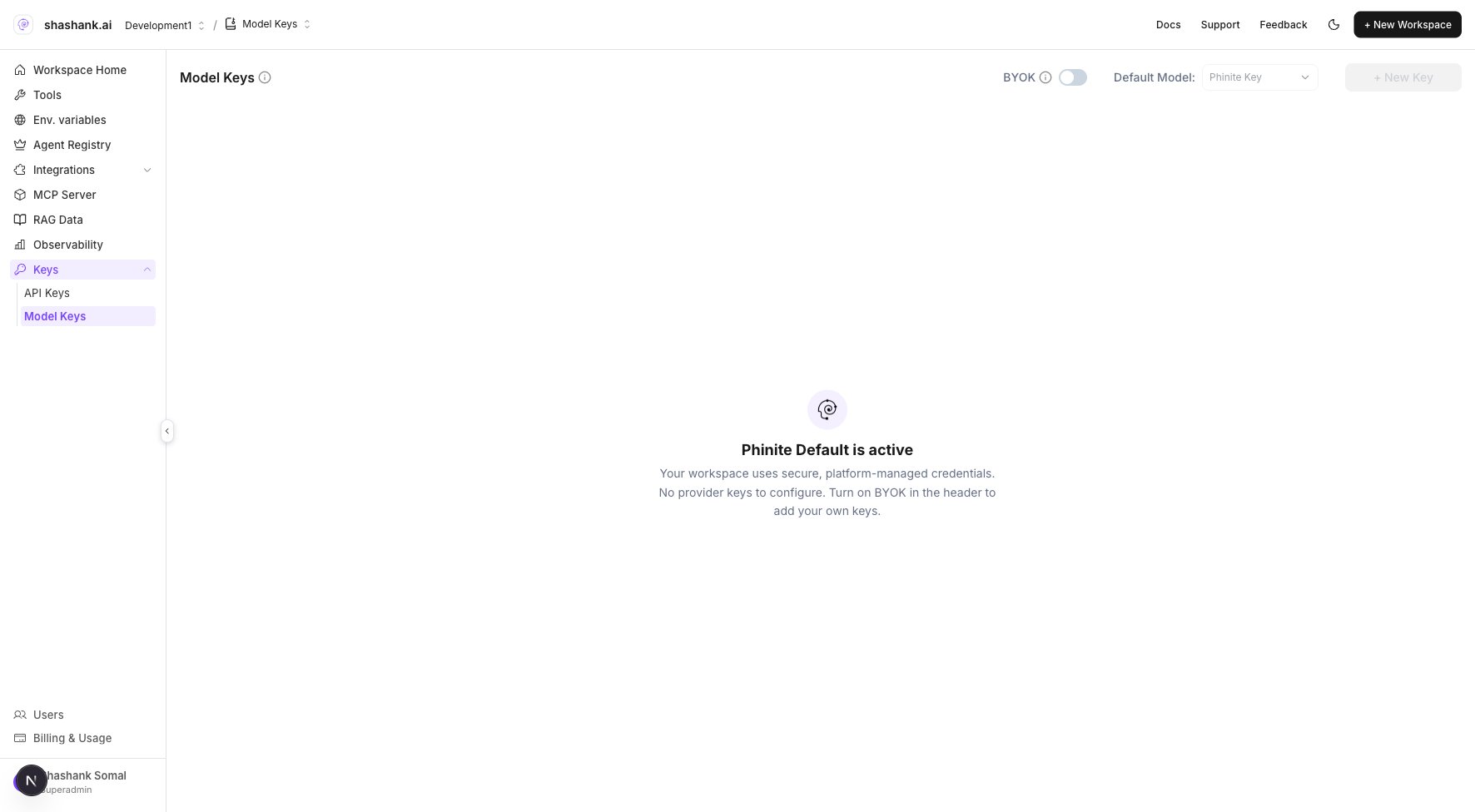
**Model Keys** let you bring your own provider credentials (BYOK) or use the platform **Phinite Key**. **Master Agent** and **Child Agent** nodes select which model and key to use for LLM calls on the **Agent Graph**.
**Save** the Agent Graph before **Build** after changing model or key on a node. Permission: `workspace.sidebar.byok`.
## Where in the product
| Surface | Path |
| ------------------------- | ---------------------------------------------------------- |
| Workspace **Keys** pocket | **Model Keys** |
| URL | `/{org}/workspace/{workspaceId}/model-key` |
| Per-node model | Graph Studio → agent node drawer → model / provider fields |
 ## Workspace keys
1. Open **Keys** in the workspace sidebar (bottom section).
2. Click **Model Keys**.
3. Add a provider key or use the default **Phinite Key** card.
4. Set which key is default for the workspace if prompted.
## Use on an agent node
1. Open **Graph Studio** and select a **Master Agent** or **Child Agent** node.
2. In the node drawer, choose **model** and provider settings.
3. Pick a key that matches your BYOK setup.
4. **Save** the **Agent Graph** before **Build**.
The **Phinite Key** uses platform-managed credentials. BYOK keys are stored per workspace and never embedded in the graph JSON.
## Related
Drawer fields for prompts, tools, and model.
Design Agent Graphs on the canvas.
Freeze graph and tool versions into Agent Builds.
All configuration layers in one place.
## Workspace keys
1. Open **Keys** in the workspace sidebar (bottom section).
2. Click **Model Keys**.
3. Add a provider key or use the default **Phinite Key** card.
4. Set which key is default for the workspace if prompted.
## Use on an agent node
1. Open **Graph Studio** and select a **Master Agent** or **Child Agent** node.
2. In the node drawer, choose **model** and provider settings.
3. Pick a key that matches your BYOK setup.
4. **Save** the **Agent Graph** before **Build**.
The **Phinite Key** uses platform-managed credentials. BYOK keys are stored per workspace and never embedded in the graph JSON.
## Related
Drawer fields for prompts, tools, and model.
Design Agent Graphs on the canvas.
Freeze graph and tool versions into Agent Builds.
All configuration layers in one place.