> ## Documentation Index
> Fetch the complete documentation index at: https://docs.phinite.ai/llms.txt
> Use this file to discover all available pages before exploring further.
# RAG Collections overview
> Workspace knowledge collections for retrieval — create, chunk, and attach to agent nodes.
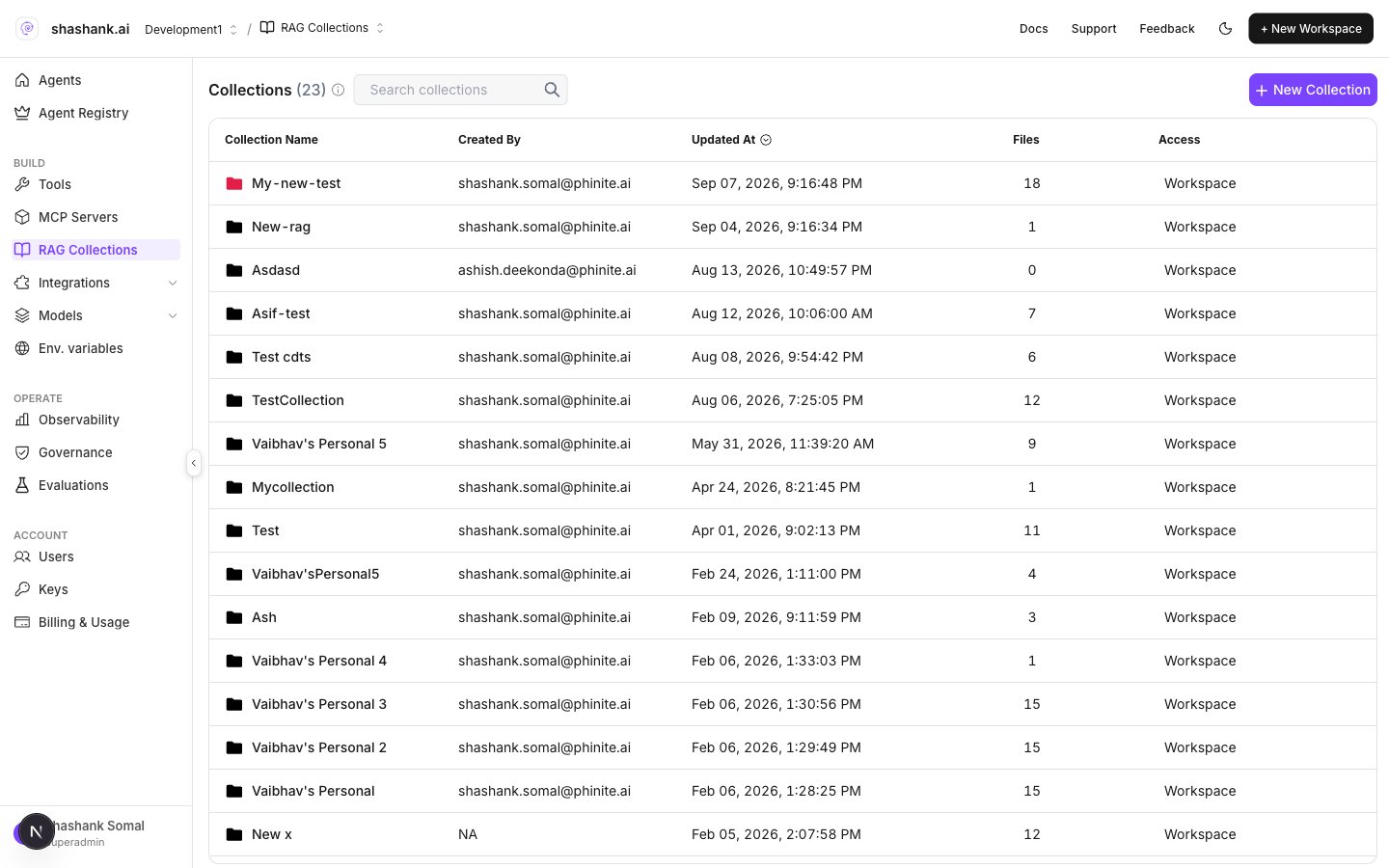
**RAG Collections** are workspace knowledge sources that agent nodes retrieve from at runtime. You manage collections under **BUILD → RAG Collections**, then attach them on each agent node’s **RAG** tab in Graph Studio.
Files, URLs, Notion, Confluence, Drive, and SharePoint.
Attach collections (not individual files); set threshold and top k.
Design Agent Graphs that ground answers in collections.
Sidebar IA: Agents, BUILD, OPERATE, ACCOUNT.
## Where in the product
| Surface | Path |
| ----------------- | --------------------------------------------- |
| Workspace sidebar | **BUILD → RAG Collections** |
| URL | `/{org}/workspace/{workspaceId}/data-sources` |
| Collection detail | `.../data-sources/{collectionId}` |
| Per-node attach | Graph Studio → agent node drawer → **RAG** |
 ## Collections vs node attach
| Layer | What you do |
| -------------- | ----------------------------------------------------------------------------------------------------------- |
| **Collection** | Create a named collection, add sources, set chunk size / overlap, wait for indexing |
| **Agent node** | Open the **RAG** tab and **Attach collection** — the node retrieves from whole collections, not loose files |
Attached collections appear on the node card (folder badge) and in the drawer under **Knowledge**.
## Create a collection
1. Open **BUILD → RAG Collections**.
2. Click **+ New Collection** (**Create Collection**).
3. Set **name**, optional **color**, **chunk size**, and **chunk overlap**, then confirm.
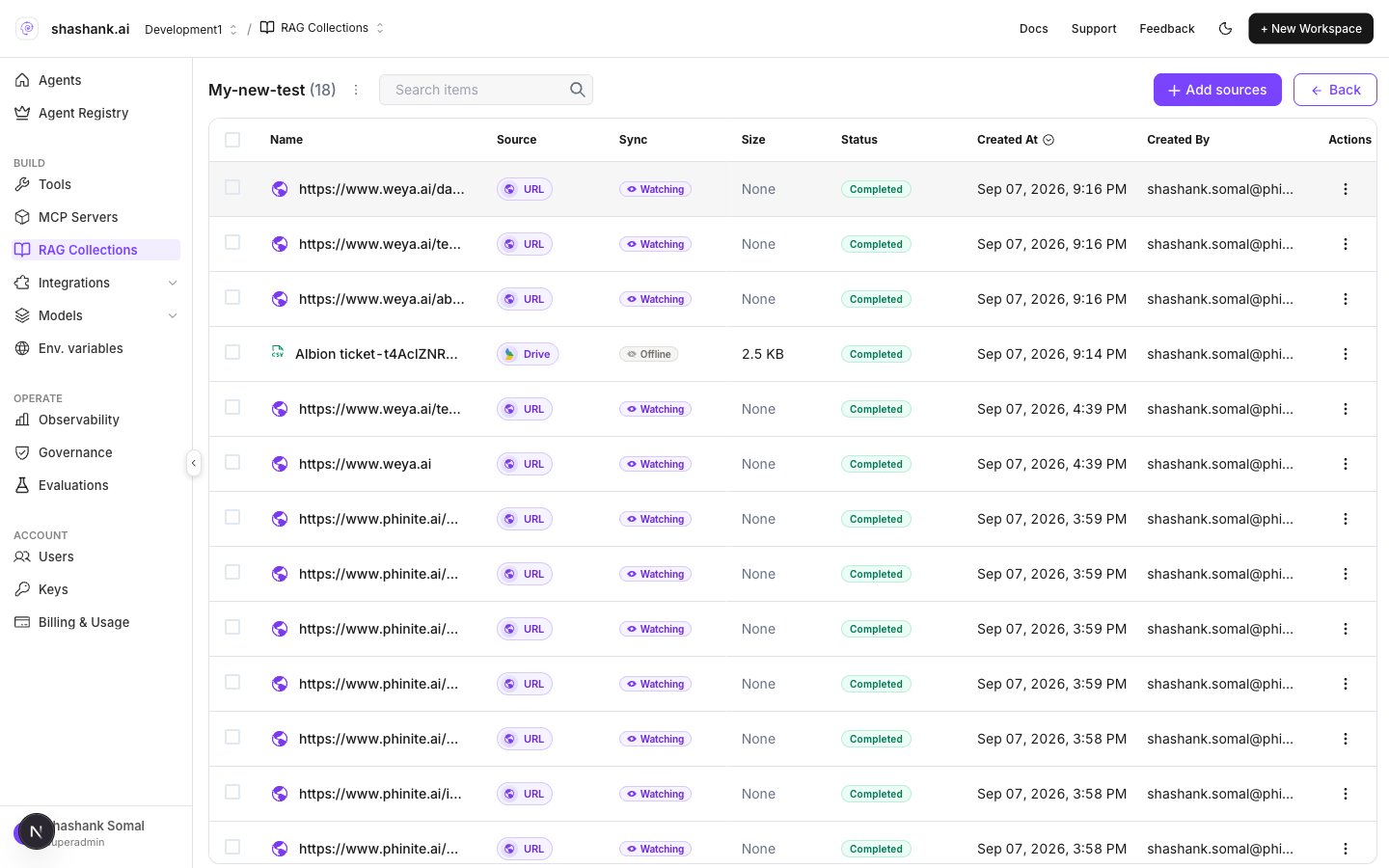
4. Open the collection to [add sources](/rag/connectors).
## Collections vs node attach
| Layer | What you do |
| -------------- | ----------------------------------------------------------------------------------------------------------- |
| **Collection** | Create a named collection, add sources, set chunk size / overlap, wait for indexing |
| **Agent node** | Open the **RAG** tab and **Attach collection** — the node retrieves from whole collections, not loose files |
Attached collections appear on the node card (folder badge) and in the drawer under **Knowledge**.
## Create a collection
1. Open **BUILD → RAG Collections**.
2. Click **+ New Collection** (**Create Collection**).
3. Set **name**, optional **color**, **chunk size**, and **chunk overlap**, then confirm.
4. Open the collection to [add sources](/rag/connectors).
 ## Chunk size and overlap
Set **chunk size** and **chunk overlap** when you create the collection (also visible under **Collection configuration**). Overlap must be less than chunk size.
| Setting | Default | Limits |
| ----------------- | ------- | ------------------------------ |
| **Chunk size** | `800` | `100`–`4000` |
| **Chunk overlap** | `100` | `≥ 0` and less than chunk size |
Larger chunks preserve context; smaller chunks improve precision for narrow questions. Re-index after changing chunk settings when the UI prompts you.
## Next steps
1. [Add connectors](/rag/connectors) (files, websites, wikis, synced folders).
2. [Attach collections](/rag/attach-to-nodes) on Master or Child Agent nodes.
3. **Save** the Agent Graph, then **Build** — builds pin the RAG collection snapshot used at runtime.
## Chunk size and overlap
Set **chunk size** and **chunk overlap** when you create the collection (also visible under **Collection configuration**). Overlap must be less than chunk size.
| Setting | Default | Limits |
| ----------------- | ------- | ------------------------------ |
| **Chunk size** | `800` | `100`–`4000` |
| **Chunk overlap** | `100` | `≥ 0` and less than chunk size |
Larger chunks preserve context; smaller chunks improve precision for narrow questions. Re-index after changing chunk settings when the UI prompts you.
## Next steps
1. [Add connectors](/rag/connectors) (files, websites, wikis, synced folders).
2. [Attach collections](/rag/attach-to-nodes) on Master or Child Agent nodes.
3. **Save** the Agent Graph, then **Build** — builds pin the RAG collection snapshot used at runtime.