> ## Documentation Index
> Fetch the complete documentation index at: https://docs.phinite.ai/llms.txt
> Use this file to discover all available pages before exploring further.
# Approvals
> Accept or Reject human-approval tool calls from workspace Approvals or Studio HIL Approvals.
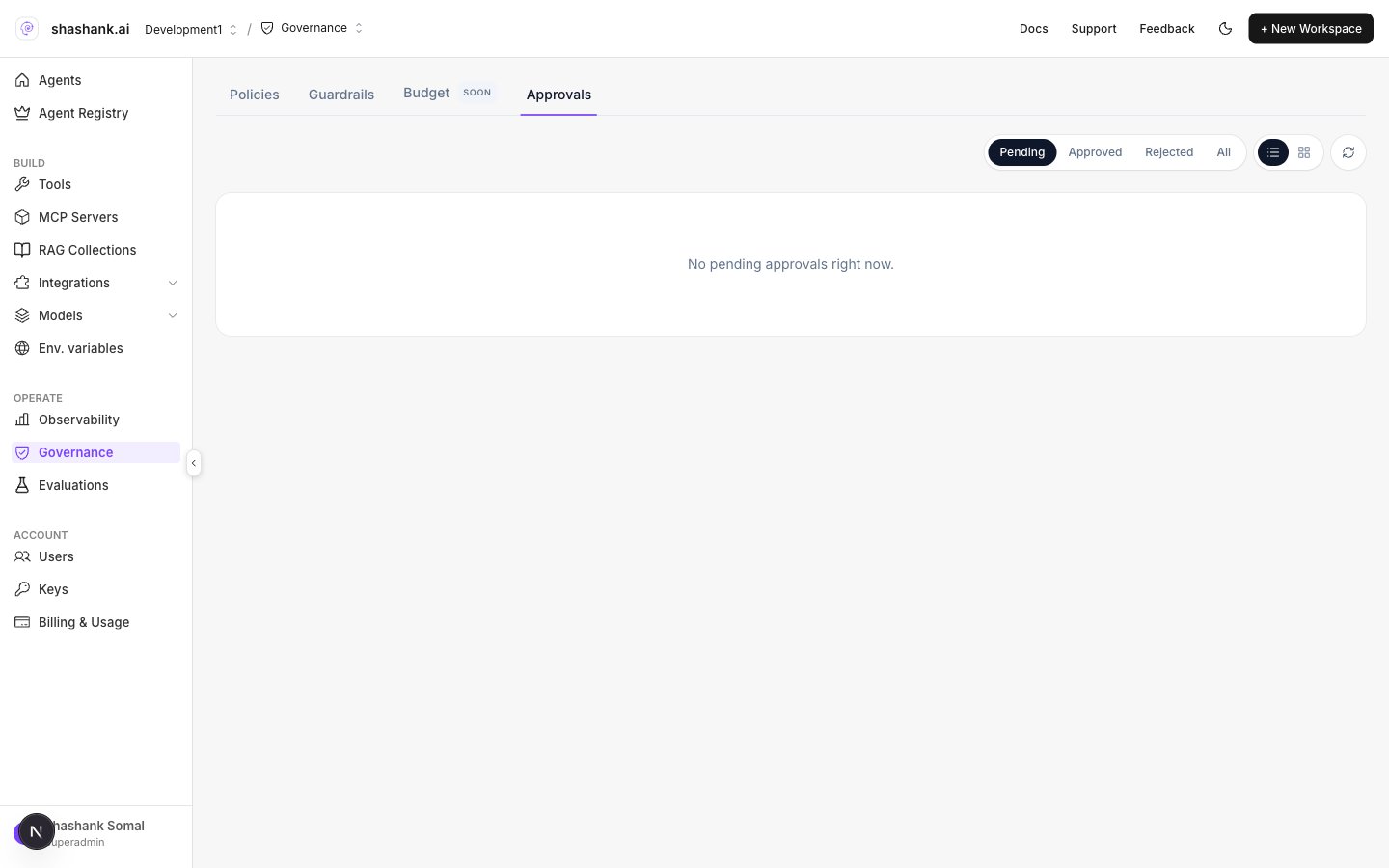
When a tool policy uses **Human approval**, runs pause until a person **Accept**s or **Reject**s. Approvers use the workspace inbox and optional email; Studio can open the same queue from **HIL Approvals**.
 ## Surfaces
| Surface | Entry |
| --------- | ------------------------------------------------------------ |
| Workspace | **OPERATE → Governance → Approvals** (`?tab=approvals`) |
| Studio | Left rail **HIL Approvals** → dialog title **HIL Approvals** |
| Email | When binding **Approval delivery** includes **Email** |
Approvals list and decide require **Admin / Superadmin** (API also checks admin). Plan: Pro+.
## Filters and layout
| Control | Options |
| -------------- | --------------------------------------------------- |
| Status filters | **Pending** · **Approved** · **Rejected** · **All** |
| Layout | Table / Grid · **Refresh** |
### Table columns
**Action** · **Status** · **Ver** · **Env** · **Agent** · **Created** · **Decision**
Card meta may also show **Version**, **Env**, **Agent**, **Session**, **Workflow**.
Statuses: `pending` · `approved` · `rejected` · `expired` (expired/stale pending are hidden from actionable lists).
## Decide a pending approval
1. Open **Approvals** (or Studio **HIL Approvals**).
2. Filter to **Pending**.
3. Open the row/card and review the tool call context.
4. Click **Accept** or **Reject**.
5. Confirm the toast (**Approved** / **Rejected**) and that the session continues or stops in [Observability](/observability/overview).
### API
```http theme={null}
POST /governance/human-approvals/:approvalId/decide
```
Body: `{ "decision": "approved" | "rejected", "workspaceid": "…" }`
Permission: `workspace.governance.update` + Admin/Superadmin.
## Configure delivery (before calls pause)
On **Tool Governance** when attaching a HITL policy:
1. Open **Approval delivery** (attach wizard step or **Edit** on the binding).
2. Enable **Dashboard** and/or **Email**.
3. Add email recipients when Email is on.
4. Save delivery.
Documented production channels are **Dashboard** and **Email**. Studio **HIL New** Slack/Teams destinations are preview-only — see [HITL](/governance/hitl).
## Related
* [HITL](/governance/hitl)
* [Tool policies](/governance/tool-policies)
* [Governance overview](/governance/overview)
* [Observability Insights](/observability/insights)
## Surfaces
| Surface | Entry |
| --------- | ------------------------------------------------------------ |
| Workspace | **OPERATE → Governance → Approvals** (`?tab=approvals`) |
| Studio | Left rail **HIL Approvals** → dialog title **HIL Approvals** |
| Email | When binding **Approval delivery** includes **Email** |
Approvals list and decide require **Admin / Superadmin** (API also checks admin). Plan: Pro+.
## Filters and layout
| Control | Options |
| -------------- | --------------------------------------------------- |
| Status filters | **Pending** · **Approved** · **Rejected** · **All** |
| Layout | Table / Grid · **Refresh** |
### Table columns
**Action** · **Status** · **Ver** · **Env** · **Agent** · **Created** · **Decision**
Card meta may also show **Version**, **Env**, **Agent**, **Session**, **Workflow**.
Statuses: `pending` · `approved` · `rejected` · `expired` (expired/stale pending are hidden from actionable lists).
## Decide a pending approval
1. Open **Approvals** (or Studio **HIL Approvals**).
2. Filter to **Pending**.
3. Open the row/card and review the tool call context.
4. Click **Accept** or **Reject**.
5. Confirm the toast (**Approved** / **Rejected**) and that the session continues or stops in [Observability](/observability/overview).
### API
```http theme={null}
POST /governance/human-approvals/:approvalId/decide
```
Body: `{ "decision": "approved" | "rejected", "workspaceid": "…" }`
Permission: `workspace.governance.update` + Admin/Superadmin.
## Configure delivery (before calls pause)
On **Tool Governance** when attaching a HITL policy:
1. Open **Approval delivery** (attach wizard step or **Edit** on the binding).
2. Enable **Dashboard** and/or **Email**.
3. Add email recipients when Email is on.
4. Save delivery.
Documented production channels are **Dashboard** and **Email**. Studio **HIL New** Slack/Teams destinations are preview-only — see [HITL](/governance/hitl).
## Related
* [HITL](/governance/hitl)
* [Tool policies](/governance/tool-policies)
* [Governance overview](/governance/overview)
* [Observability Insights](/observability/insights)