> ## Documentation Index
> Fetch the complete documentation index at: https://docs.phinite.ai/llms.txt
> Use this file to discover all available pages before exploring further.
# Studio evaluations
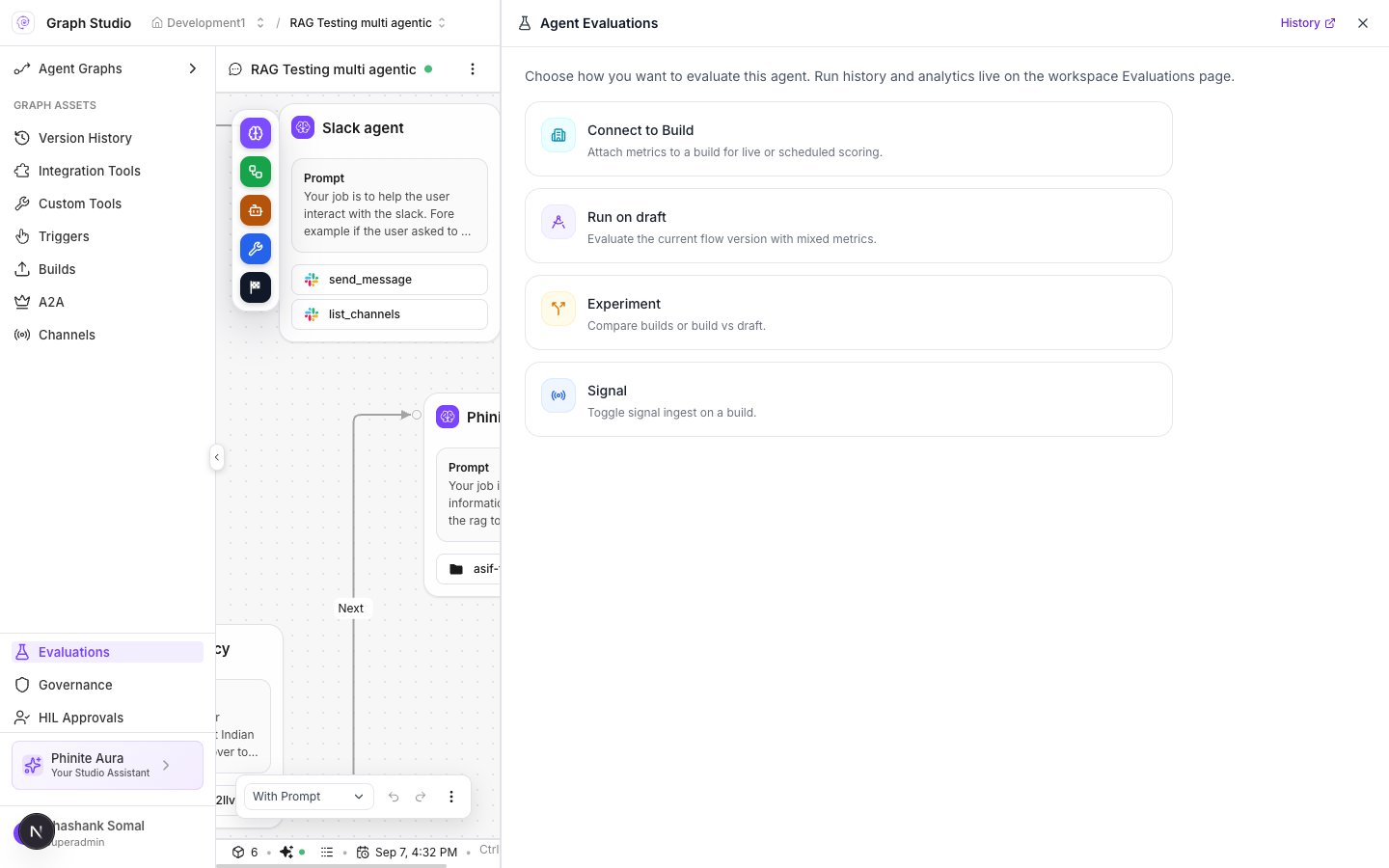
> Agent Evaluations panel — entry points and permissions.
Open **Evaluations** in the Graph Studio sidebar (`?tab=eval`). Panel title: **Agent Evaluations**. Header link **History** jumps to workspace **History / Sessions**.
 ## Entry points
| Label | Description | Permission |
| -------------------- | ------------------------------------------------------- | ------------------------------------ |
| **Connect to Build** | Attach metrics to a build for live or scheduled scoring | `configure` |
| **Run on draft** | Evaluate the current flow version with mixed metrics | `run` |
| **Experiment** | Compare builds or build vs draft | `configure` — **UI stub only** today |
| **Signal** | Toggle signal ingest on a build | `configure` |
Copy under the title: *Choose how you want to evaluate this agent. Run history and analytics live on the workspace Evaluations page.*
## Signal panel
After **Signal**:
* Copy explains enabling/disabling signal ingest per build.
* Columns: **Build** · **Version** · **Since** · **Signal** (toggle).
## Experiment
Selecting **Experiment** shows placeholder copy (*Compare different builds, or build vs draft.*) without a full wizard yet. Prefer **Connect to Build** or **Run on draft** for production scoring.
## Deep dives
1. [Connect to Build](/evaluations/connect-to-build) — Mode → Build → Metrics → Review.
2. [Run on draft](/evaluations/run-on-draft) — Dataset → cases/sessions → Metrics → Launch.
3. [Workspace Analytics / History](/evaluations/overview) — results after runs complete.
## Related
* [Evaluations overview](/evaluations/overview)
* [Builds overview](/builds/overview)
## Entry points
| Label | Description | Permission |
| -------------------- | ------------------------------------------------------- | ------------------------------------ |
| **Connect to Build** | Attach metrics to a build for live or scheduled scoring | `configure` |
| **Run on draft** | Evaluate the current flow version with mixed metrics | `run` |
| **Experiment** | Compare builds or build vs draft | `configure` — **UI stub only** today |
| **Signal** | Toggle signal ingest on a build | `configure` |
Copy under the title: *Choose how you want to evaluate this agent. Run history and analytics live on the workspace Evaluations page.*
## Signal panel
After **Signal**:
* Copy explains enabling/disabling signal ingest per build.
* Columns: **Build** · **Version** · **Since** · **Signal** (toggle).
## Experiment
Selecting **Experiment** shows placeholder copy (*Compare different builds, or build vs draft.*) without a full wizard yet. Prefer **Connect to Build** or **Run on draft** for production scoring.
## Deep dives
1. [Connect to Build](/evaluations/connect-to-build) — Mode → Build → Metrics → Review.
2. [Run on draft](/evaluations/run-on-draft) — Dataset → cases/sessions → Metrics → Launch.
3. [Workspace Analytics / History](/evaluations/overview) — results after runs complete.
## Related
* [Evaluations overview](/evaluations/overview)
* [Builds overview](/builds/overview)