> ## Documentation Index
> Fetch the complete documentation index at: https://docs.phinite.ai/llms.txt
> Use this file to discover all available pages before exploring further.
# Testing Tools
> Run tools with sample inputs across environments and debug failures.
## Steps
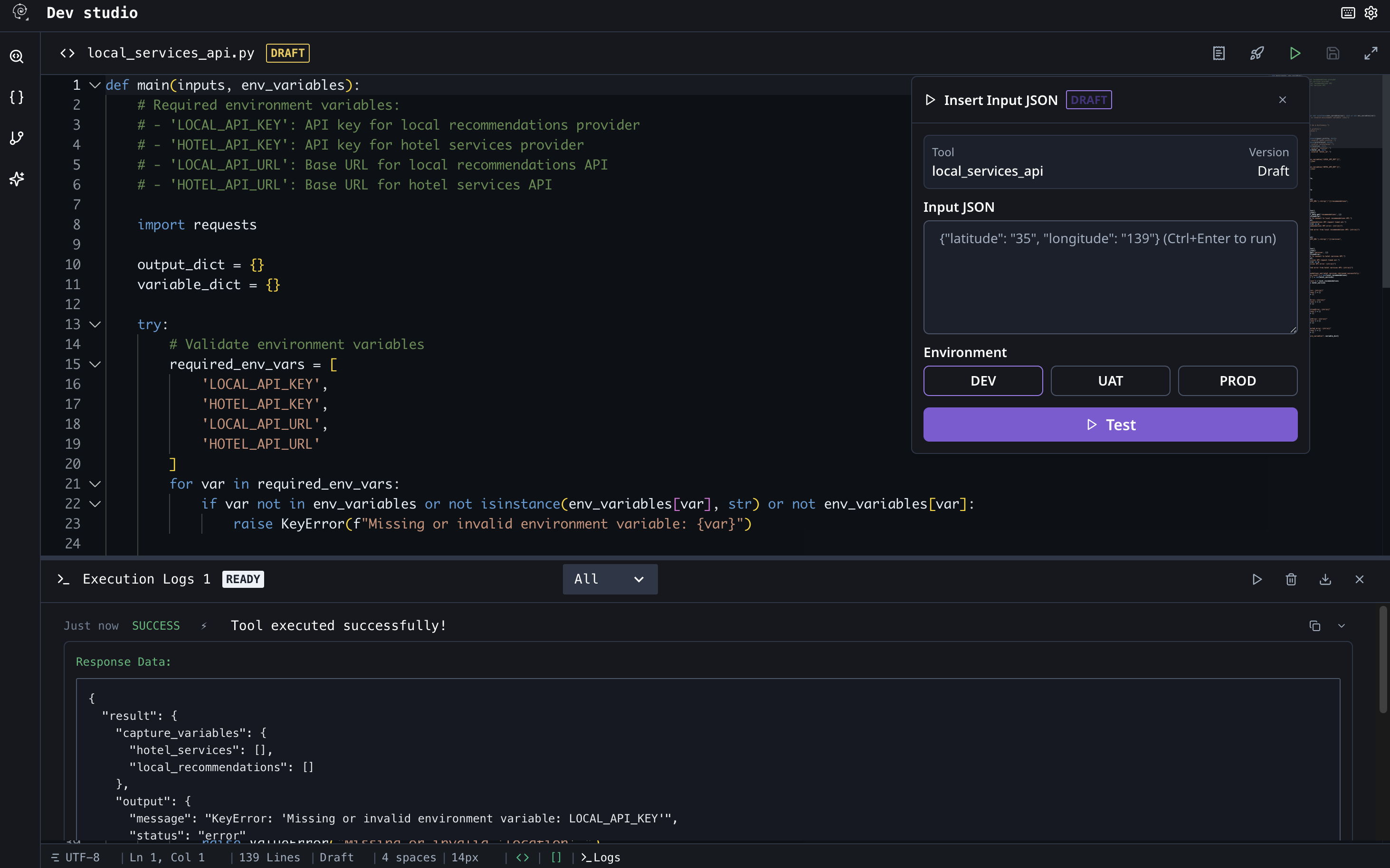 Open the tool and select the Test tab.
Enter realistic sample input JSON.
Choose Dev/UAT/Prod and run. Review logs for errors.
## Debugging
```json Example Input theme={null}
{
"to": "user@example.com",
"subject": "Hello",
"body": "Test"
}
```
Never include real secrets in sample inputs.
Open the tool and select the Test tab.
Enter realistic sample input JSON.
Choose Dev/UAT/Prod and run. Review logs for errors.
## Debugging
```json Example Input theme={null}
{
"to": "user@example.com",
"subject": "Hello",
"body": "Test"
}
```
Never include real secrets in sample inputs.