> ## Documentation Index
> Fetch the complete documentation index at: https://docs.phinite.ai/llms.txt
> Use this file to discover all available pages before exploring further.
# DevStudio Overview
> Build, version, test, and publish tools that your agents can call.
## What is DevStudio?
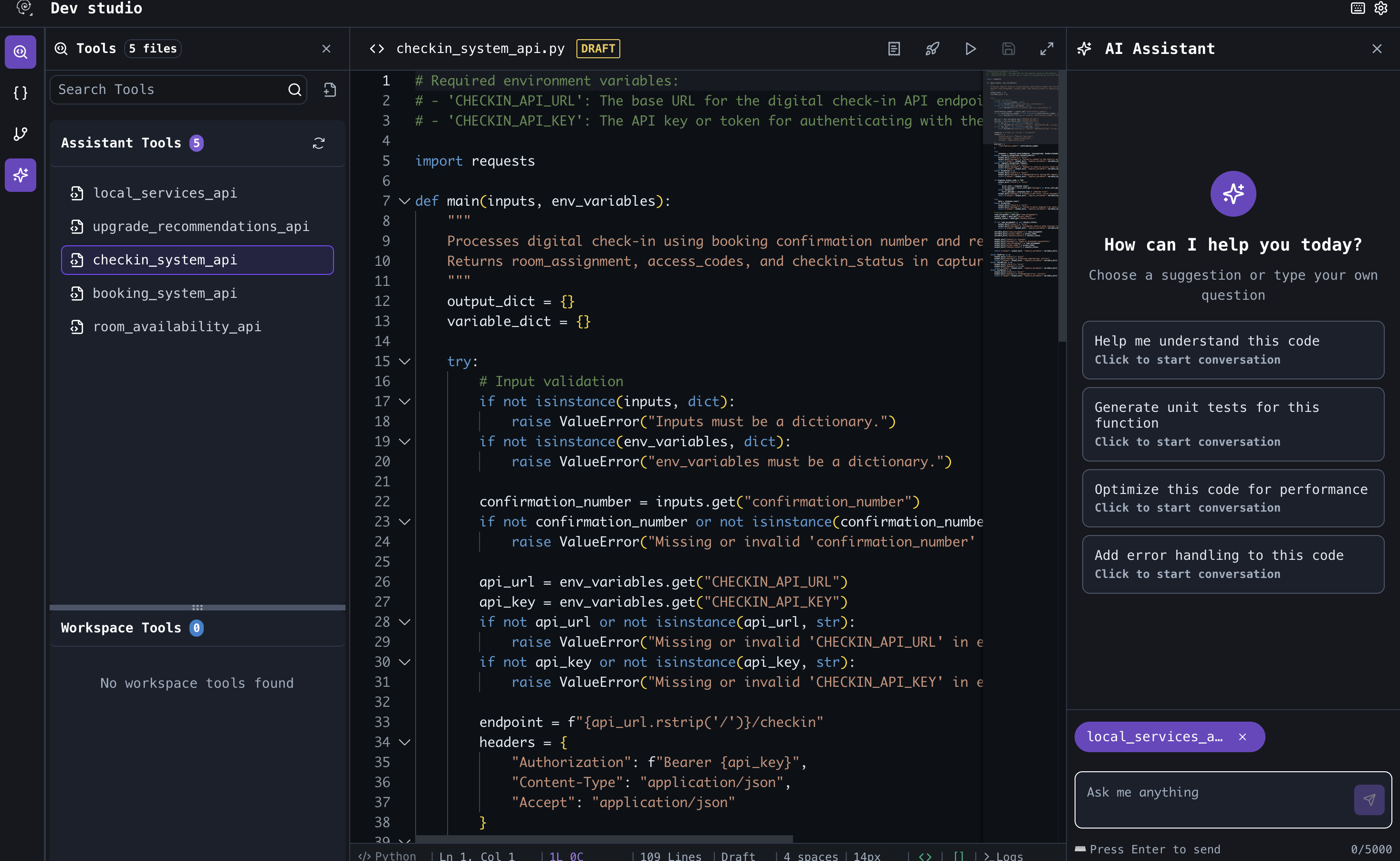 DevStudio is where you build tools—reusable, versioned functions your flows and agents can call to take action (e.g., send emails, query CRMs, post to Slack).
## Key capabilities
* **Tool authoring**: Prompt-generated or manual coding
* **Type-safe parameters**: Define input/output schemas
* **Versioning**: Draft, publish, rollback
* **Testing**: Run tools with sample inputs in multiple environments
Copilot-generated or manual coding
Custom and pre-built integrations
## Best practices
* Validate inputs and handle errors defensively
* Log key steps for observability
* Keep secrets out of code; use environment variables
* Increment version numbers with meaningful notes
DevStudio is where you build tools—reusable, versioned functions your flows and agents can call to take action (e.g., send emails, query CRMs, post to Slack).
## Key capabilities
* **Tool authoring**: Prompt-generated or manual coding
* **Type-safe parameters**: Define input/output schemas
* **Versioning**: Draft, publish, rollback
* **Testing**: Run tools with sample inputs in multiple environments
Copilot-generated or manual coding
Custom and pre-built integrations
## Best practices
* Validate inputs and handle errors defensively
* Log key steps for observability
* Keep secrets out of code; use environment variables
* Increment version numbers with meaningful notes