> ## Documentation Index
> Fetch the complete documentation index at: https://docs.phinite.ai/llms.txt
> Use this file to discover all available pages before exploring further.

# Connecting Tools to Agents

> Enable tools for agents and wire variables to parameters.

## Steps

<Steps>
  <Step title="Select agent">
    <Frame>
      <img src="https://mintcdn.com/phinite/spbPnSZPWmAXAKhH/images/select-agent.png?fit=max&auto=format&n=spbPnSZPWmAXAKhH&q=85&s=84334f7cd3e4c0f18eec005e21331ce3" alt="Select Agent" width="1919" height="874" data-path="images/select-agent.png" />
    </Frame>

    Open the Agent node in Graph Studio.
  </Step>

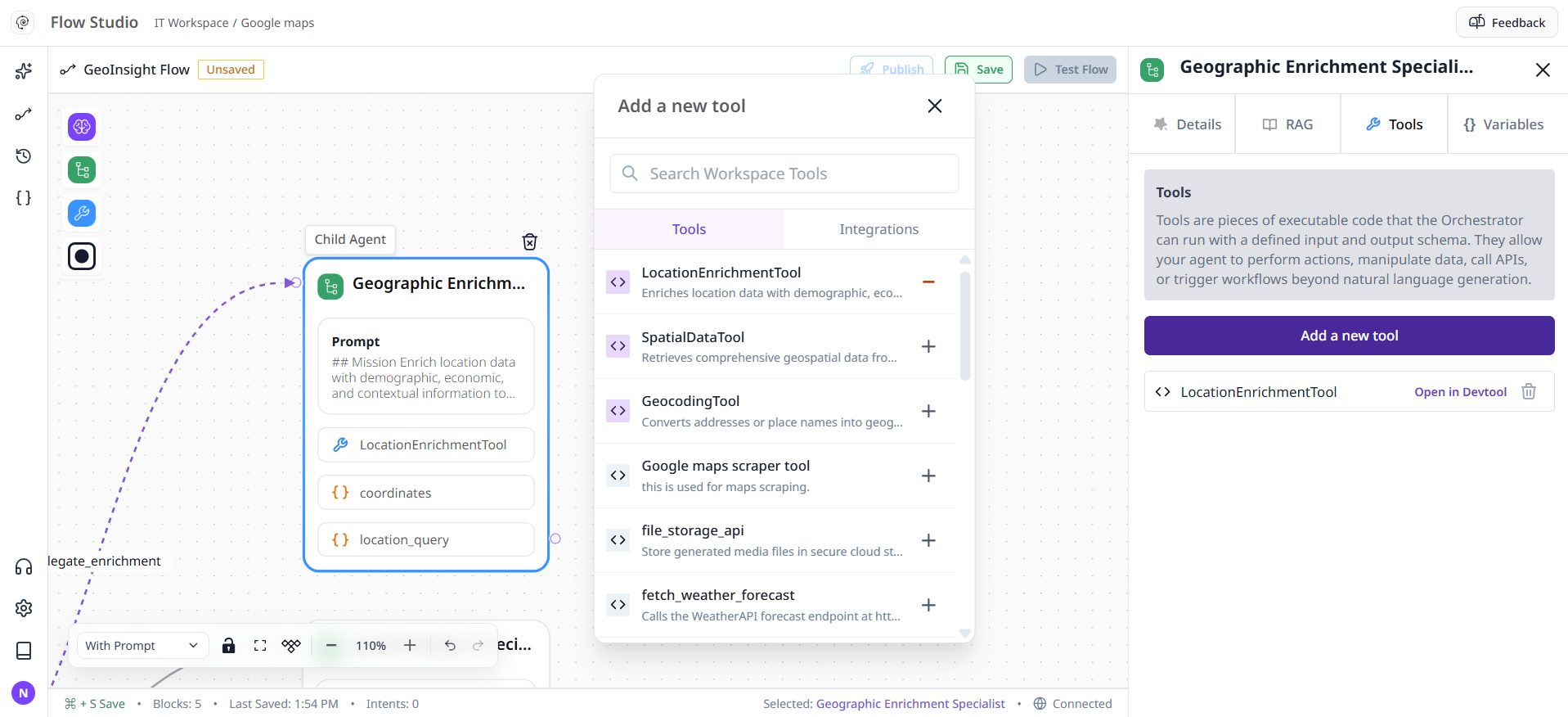
  <Step title="Enable tools">
    <Frame>
      <img src="https://mintcdn.com/phinite/spbPnSZPWmAXAKhH/images/enable-tools.png?fit=max&auto=format&n=spbPnSZPWmAXAKhH&q=85&s=547816a5db125934cae99ebe7c490aa7" alt="Enable Tools" width="1917" height="876" data-path="images/enable-tools.png" />
    </Frame>

    Add tools in the Details/Tools tab.
  </Step>

  <Step title="Map variables">
    <Frame>
      <img alt="map variables" lightAlt="map variables" darkAlt="step-2" src="https://mintcdn.com/phinite/spbPnSZPWmAXAKhH/images/map-variables.png?fit=max&auto=format&n=spbPnSZPWmAXAKhH&q=85&s=4dfa99a36f48fd28b4c6723ee394a0aa" width="1919" height="875" data-path="images/map-variables.png" />
    </Frame>

    Map input variables to tool parameters.
  </Step>
</Steps>

<Tip>
  Use capture variables from tools for downstream logic.
</Tip>