> ## Documentation Index
> Fetch the complete documentation index at: https://docs.phinite.ai/llms.txt
> Use this file to discover all available pages before exploring further.
# Configuration overview
> All configuration layers — node, environment, integrations, and build export.
**Configuration** in Phinite spans several surfaces. Each layer applies at a different stage of **Design → Save → Build → Deploy**.
DEV / UAT / PROD secrets and runtime config.
Channels, triggers, and predefined tool connections.
Pin tools, MCP, and env into immutable builds.
BYOK provider keys for LLM, STT, and TTS.
## Configuration layers
| Layer | Where | When it applies |
| ------------------ | ------------------------------------------------------------------- | ----------------------------------------------------------- |
| **Node config** | Graph Studio node drawer (prompt, tools, RAG, variables, model) | While designing the Agent Graph |
| **Env. variables** | Workspace **Env. variables** (DEV / UAT / PROD) | Runtime secrets per environment |
| **Integrations** | Workspace **Integrations** + Studio **Integrations** / **Triggers** | Channel webhooks, triggers, app tools |
| **Build export** | **Build** and **Expose as A2A** wizards | Pin tool/env/MCP into immutable build or Agent Card version |
## Where in the product
| Surface | Path |
| ---------------- | ---------------------------------------------------------- |
| Graph Studio | `.../studio?flowId=...` |
| Env. variables | `.../environment` |
| Integrations hub | `.../integration?tab=channels\|triggers\|predefined-tools` |
| Build / Deploy | Studio toolbar **Build**, **Deploy** |
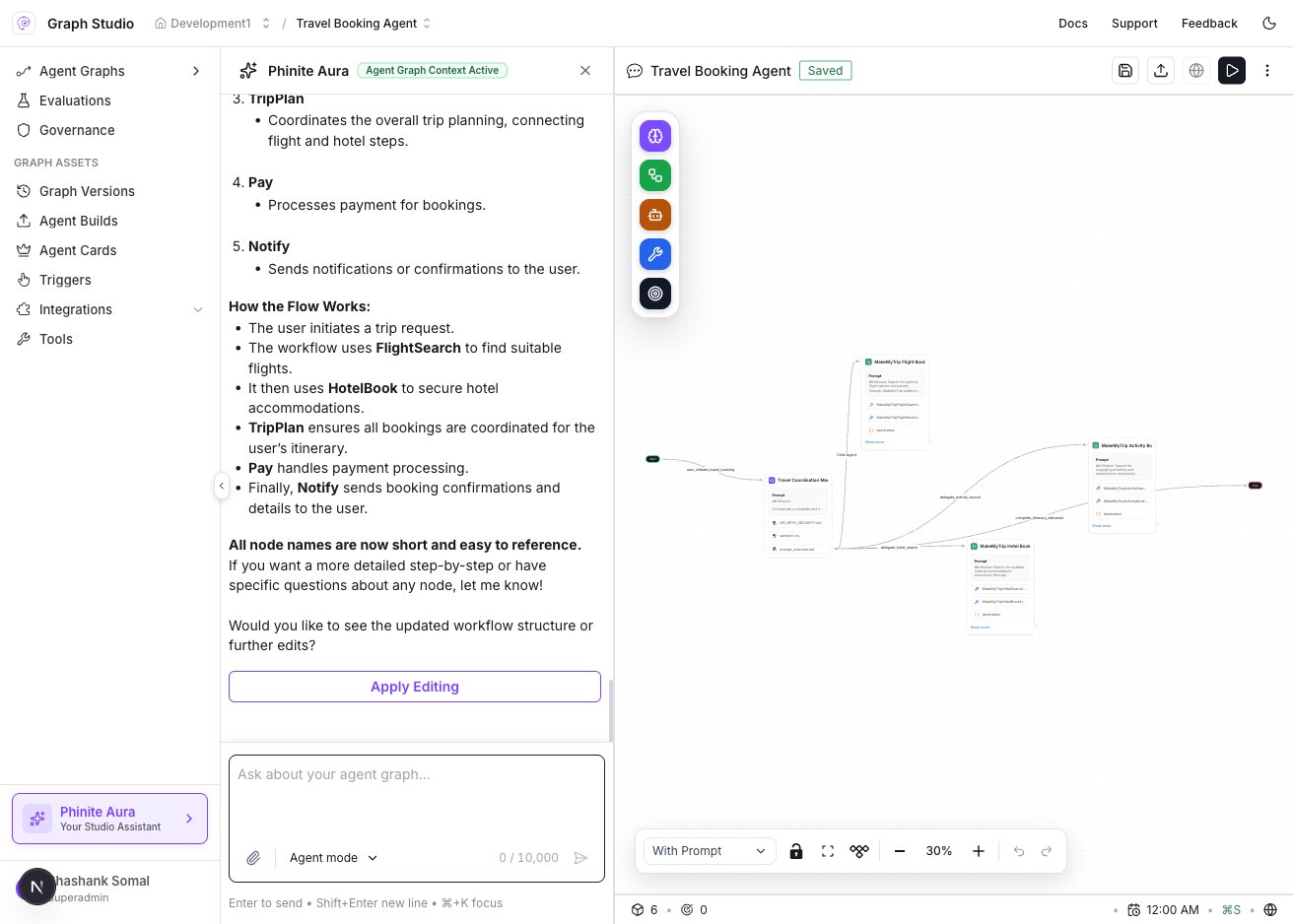 ## Typical order
1. Configure nodes in Studio — see [Graph Studio](/graph-studio/overview) (nodes, variables, RAG).
2. Set **Env. variables** for DEV / UAT / PROD.
3. Connect **Integrations** (channels, triggers, predefined tools).
4. **Save** the graph, then **Build** — pin versions; optionally [export config to build](/configure/build-export).
5. **Deploy** or **Expose as A2A**.
**Save** persists the draft graph. **Build** freezes graph + tool versions — env variables and integration configs are resolved at runtime per environment, not baked into the graph JSON.
## Layer details
### Node config (Graph Studio)
| Tab | Configures |
| -------------------- | -------------------------------------------- |
| **Details / Prompt** | Agent mission, instructions, model selection |
| **Tools** | Published tools attached to this node |
| **RAG** | Workspace collections for retrieval |
| **Variables** | Input and capture variables for the node |
| **Decision** | Conditional routing edges |
See [Graph Studio — Agent configuration](/graph-studio/interface/node-library) for drawer documentation.
### Environment variables
Store API keys, database URLs, and feature flags per environment. Tools reference env variable names — values differ between DEV, UAT, and PROD without code changes.
See [Env. variables](/configure/env-variables).
### Integrations
| Integration type | Purpose |
| -------------------- | ------------------------------------------------------ |
| **Channels** | WhatsApp, Slack, Teams, web chat, voice, email |
| **Triggers** | API webhooks, cron, background tasks |
| **Predefined tools** | Third-party APIs authenticated once, enabled per graph |
See [Integrations](/configure/integrations) and [Integrations Hub](/integrations-hub/overview).
### Build export
When you **Build** or **Expose as A2A**, Phinite pins tool versions and optionally exports MCP connections and env bindings into the immutable artifact.
See [Build export](/configure/build-export).
Configure integrations in DEV first, validate with **Test** and observability logs, then promote builds to UAT and PROD.
## Related
* [Builds overview](/builds/overview)
* [Deploy](/agents/deploy)
* [Graph Studio overview](/graph-studio/overview)
* [Glossary](/reference/glossary-v2)
## Typical order
1. Configure nodes in Studio — see [Graph Studio](/graph-studio/overview) (nodes, variables, RAG).
2. Set **Env. variables** for DEV / UAT / PROD.
3. Connect **Integrations** (channels, triggers, predefined tools).
4. **Save** the graph, then **Build** — pin versions; optionally [export config to build](/configure/build-export).
5. **Deploy** or **Expose as A2A**.
**Save** persists the draft graph. **Build** freezes graph + tool versions — env variables and integration configs are resolved at runtime per environment, not baked into the graph JSON.
## Layer details
### Node config (Graph Studio)
| Tab | Configures |
| -------------------- | -------------------------------------------- |
| **Details / Prompt** | Agent mission, instructions, model selection |
| **Tools** | Published tools attached to this node |
| **RAG** | Workspace collections for retrieval |
| **Variables** | Input and capture variables for the node |
| **Decision** | Conditional routing edges |
See [Graph Studio — Agent configuration](/graph-studio/interface/node-library) for drawer documentation.
### Environment variables
Store API keys, database URLs, and feature flags per environment. Tools reference env variable names — values differ between DEV, UAT, and PROD without code changes.
See [Env. variables](/configure/env-variables).
### Integrations
| Integration type | Purpose |
| -------------------- | ------------------------------------------------------ |
| **Channels** | WhatsApp, Slack, Teams, web chat, voice, email |
| **Triggers** | API webhooks, cron, background tasks |
| **Predefined tools** | Third-party APIs authenticated once, enabled per graph |
See [Integrations](/configure/integrations) and [Integrations Hub](/integrations-hub/overview).
### Build export
When you **Build** or **Expose as A2A**, Phinite pins tool versions and optionally exports MCP connections and env bindings into the immutable artifact.
See [Build export](/configure/build-export).
Configure integrations in DEV first, validate with **Test** and observability logs, then promote builds to UAT and PROD.
## Related
* [Builds overview](/builds/overview)
* [Deploy](/agents/deploy)
* [Graph Studio overview](/graph-studio/overview)
* [Glossary](/reference/glossary-v2)