> ## Documentation Index
> Fetch the complete documentation index at: https://docs.phinite.ai/llms.txt
> Use this file to discover all available pages before exploring further.
# Integrations configuration
> Channels, Integration Tools, and Triggers in the workspace hub and Graph Studio.
**Integrations** connect **Agent Graphs** to the outside world: messaging **Channels**, callable **Integration Tools**, and autonomous **Triggers** (API, Cron, background tasks).
Configuration happens in the workspace **Integrations** hub and can be scoped to an **Agent Graph** from Graph Studio.
Configure credentials in **Development** first, validate with a **DEV** build assignment, then promote to UAT and PROD.
## Where in the product
| Surface | Path | Purpose |
| ------------------------- | ------------------------------------------ | --------------------------------------------------------- |
| Integrations hub | `.../integration?tab=channels` | Connect WhatsApp, Slack, Teams, email, voice, web chat, … |
| Integration Tools | `.../integration?tab=predefined-tools` | App integrations used as tools |
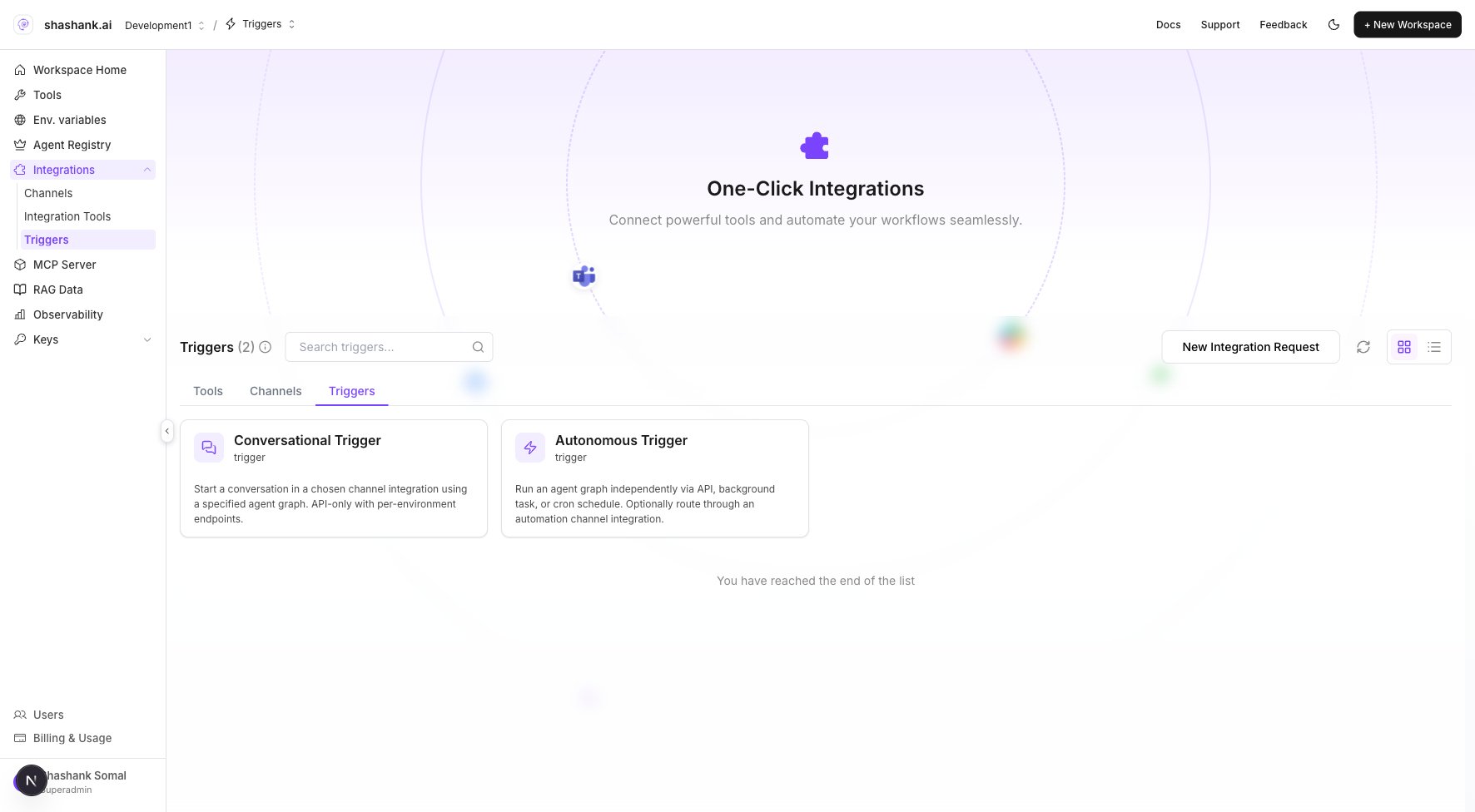
| Triggers | `.../integration?tab=triggers` | API / Cron / conversational triggers |
| Graph Studio Integrations | Graph Studio → **Integrations** → Channels | Agent Graph–scoped channel connections |
| Graph Studio Triggers | Graph Studio → **Triggers** | Agent Graph–scoped trigger links |
 ## Connect a channel
1. Open workspace **Integrations** → **Channels** tab (or sidebar **Channels**).
2. Click **New Integration** / pick a channel type.
3. Complete credential and webhook configuration for **Development** first.
4. In Graph Studio, **Deploy** → **Deploy to Channel** and assign your **Agent Build** ([Deploy to channel](/agents/deploy-channel)).
## Configure a trigger
1. Open **Integrations** → **Triggers** tab.
2. Create **Autonomous** (API / Cron) or **Conversational** trigger as needed.
3. Assign an **Agent Build** to DEV / UAT / PROD on the trigger connection.
4. Copy the webhook URL or cron schedule from the trigger config page.
## Graph Studio shortcut
Graph Studio → **Integrations** submenu lists **Channels** and **Integration Tools** without leaving the canvas. The **Triggers** panel links to **Add trigger in Integrations** when none exist.
Tools reference **Env. variables** by key name — configure [Env. variables](/configure/env-variables) before wiring channel or trigger credentials.
## Related
Branch deploy vs expose from Graph Studio.
Assign a build to a messaging channel.
API, Cron, and background task webhooks.
All configuration layers in one place.
## Connect a channel
1. Open workspace **Integrations** → **Channels** tab (or sidebar **Channels**).
2. Click **New Integration** / pick a channel type.
3. Complete credential and webhook configuration for **Development** first.
4. In Graph Studio, **Deploy** → **Deploy to Channel** and assign your **Agent Build** ([Deploy to channel](/agents/deploy-channel)).
## Configure a trigger
1. Open **Integrations** → **Triggers** tab.
2. Create **Autonomous** (API / Cron) or **Conversational** trigger as needed.
3. Assign an **Agent Build** to DEV / UAT / PROD on the trigger connection.
4. Copy the webhook URL or cron schedule from the trigger config page.
## Graph Studio shortcut
Graph Studio → **Integrations** submenu lists **Channels** and **Integration Tools** without leaving the canvas. The **Triggers** panel links to **Add trigger in Integrations** when none exist.
Tools reference **Env. variables** by key name — configure [Env. variables](/configure/env-variables) before wiring channel or trigger credentials.
## Related
Branch deploy vs expose from Graph Studio.
Assign a build to a messaging channel.
API, Cron, and background task webhooks.
All configuration layers in one place.