> ## Documentation Index
> Fetch the complete documentation index at: https://docs.phinite.ai/llms.txt
> Use this file to discover all available pages before exploring further.
# Conversational Assistants (Voice & Chat)
> Design chat and voice assistants using flows and intents across channels.
## Overview
Conversational assistants handle real-time chat and voice across channels. They use [Intents](/triggers-intents/intents) and [Agent Graphs](/assistants/components/flows).
## Channels
* [Web Chat](/channels/webchat)
* [WhatsApp](/channels/whatsapp)
* [Slack / Teams](/channels/slack-teams)
* [Twilio Voice](/channels/twilio)
## Design steps
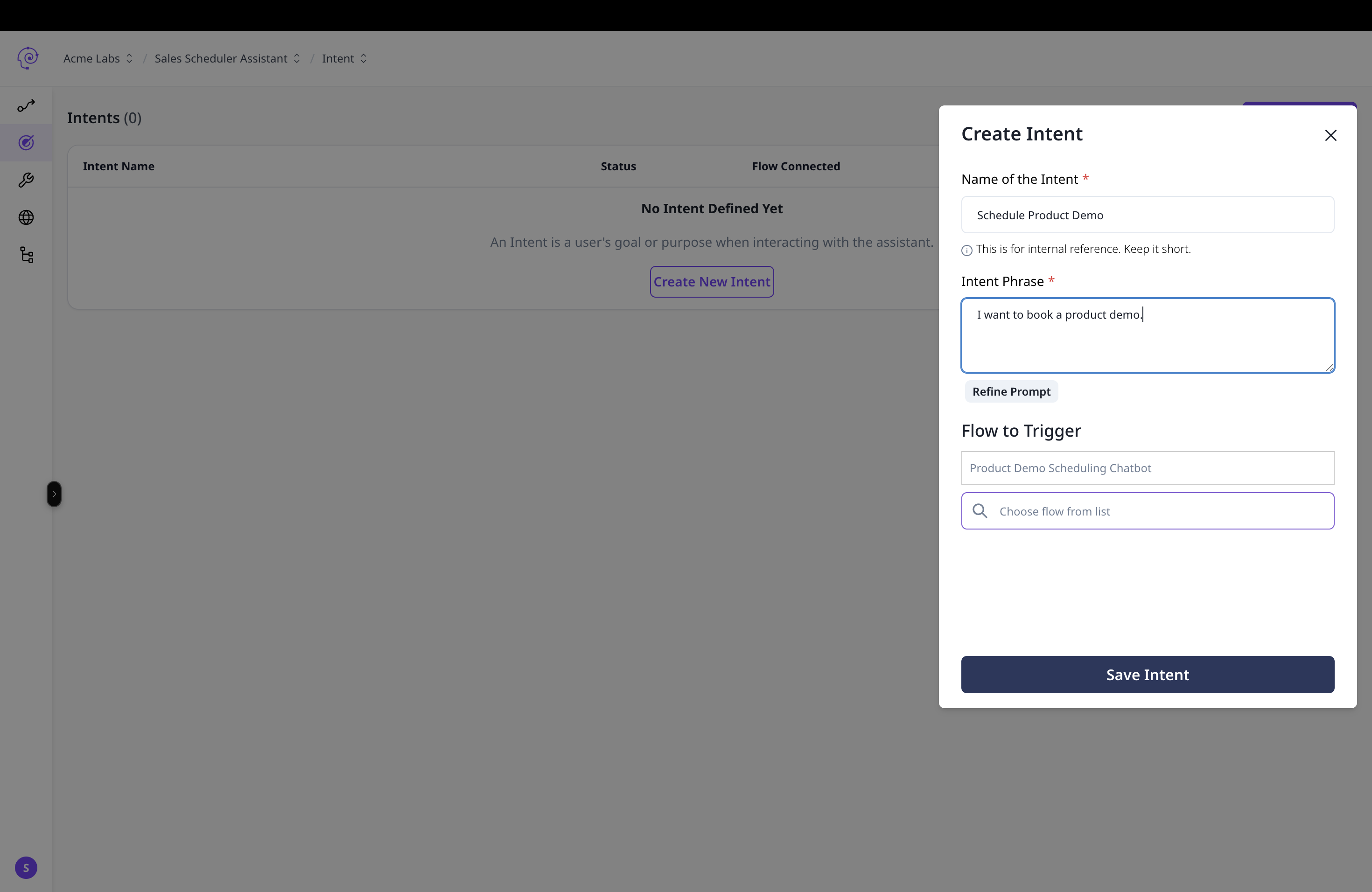 Create intents and train prompts. See [Prompt Training](/triggers-intents/prompt-training).
Map intents to flows in [Mapping](/triggers-intents/mapping).
Configure channel authentication. See [Channels Overview](/channels/overview).
Use [Observability Logs](/observability/logs) to analyze conversation paths and refine intents.
Create intents and train prompts. See [Prompt Training](/triggers-intents/prompt-training).
Map intents to flows in [Mapping](/triggers-intents/mapping).
Configure channel authentication. See [Channels Overview](/channels/overview).
Use [Observability Logs](/observability/logs) to analyze conversation paths and refine intents.