> ## Documentation Index
> Fetch the complete documentation index at: https://docs.phinite.ai/llms.txt
> Use this file to discover all available pages before exploring further.
# Deploy a trigger
> Run Autonomous Agent Graphs via API webhook, Cron, or background task.
**Triggers** start **Autonomous** Agent Graph runs without a live chat UI. Some **Conversational** graphs also support trigger-style entry points through the **Integrations** hub.
Triggers replace the legacy **Intents** model. Configure trigger type, assign an **Agent Build** per environment, and call the generated webhook or wait for the Cron schedule.
## Trigger types
| Type | Use | Execution |
| ------------------- | ---------------------- | --------------------------------------------------------- |
| **API** | On-demand HTTP webhook | Synchronous (≤ \~150 s) — simple flows only |
| **Background task** | Long-running work | Async start + status polling (≤ 45 min) — **recommended** |
| **Cron job** | Recurring schedule | Platform-scheduled; no external caller needed |
See [Trigger APIs](/triggers-intents/trigger-apis) for endpoint shapes, auth, and payload fields.
## Deploy a trigger from Studio
1. Create an **Agent Build** for the Autonomous Agent Graph ([Builds overview](/builds/overview)).
2. In Graph Studio, click **Deploy** → **Deploy as API** or **Cron job**.
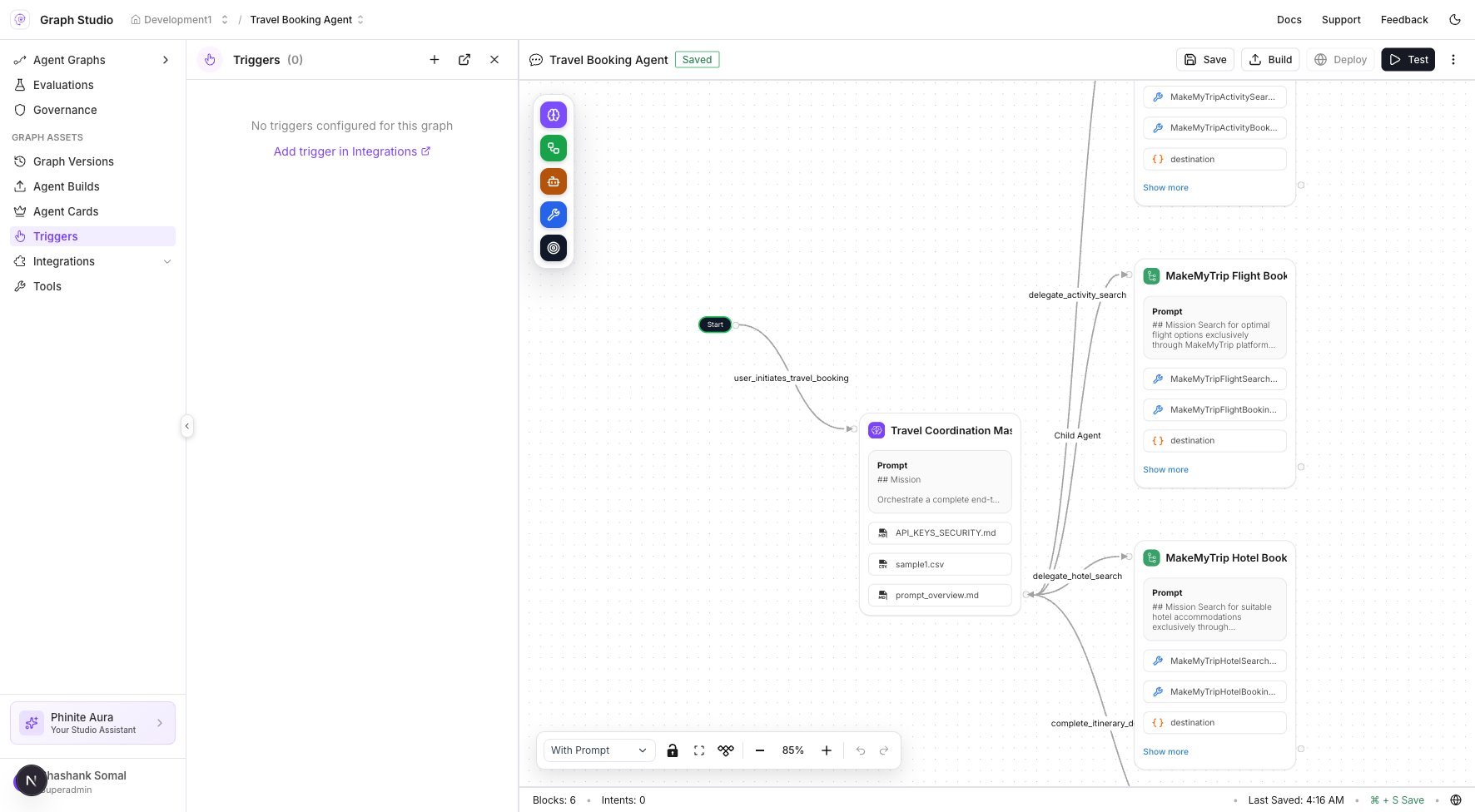
3. Or open Studio → **Triggers** → **Add trigger in Integrations** when the panel is empty.
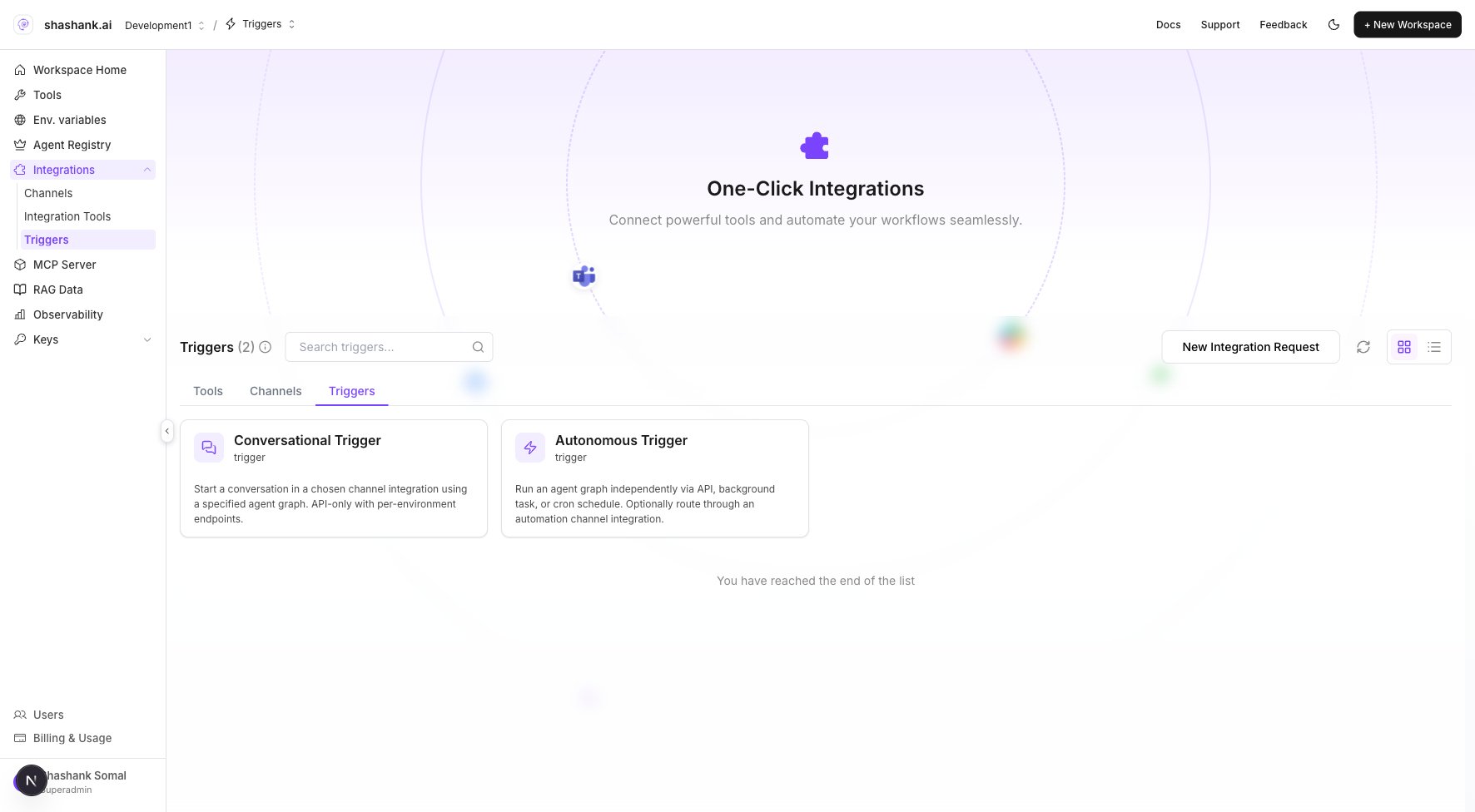
4. In **Integrations** → **Triggers**, create the trigger connection and select **workflow type** (API, Background Task, or Cron).
5. Assign the **Agent Build** to **DEV** first; copy the generated webhook URL or Cron config.
6. Test with a Bearer token ([API usage examples](/triggers-intents/api-usage-examples)) or wait for the first scheduled run.
7. Promote build assignment to **UAT** / **PROD** when validated.
 ## Map triggers to Agent Graphs
When a trigger fires, the platform runs the **Agent Build** assigned to that trigger for the matching **environment**. See [Mapping triggers to workflows](/triggers-intents/mapping) for assignment and validation steps.
Use **Background task** mode for multi-step Autonomous graphs. Reserve single-endpoint **API** mode for fast operations under \~120 seconds.
## Related
* [Deploy](/agents/deploy)
* [Build environments](/builds/environments)
* [Event-based triggers](/triggers-intents/event-triggers)
* [Integrations configuration](/configure/integrations)
## Map triggers to Agent Graphs
When a trigger fires, the platform runs the **Agent Build** assigned to that trigger for the matching **environment**. See [Mapping triggers to workflows](/triggers-intents/mapping) for assignment and validation steps.
Use **Background task** mode for multi-step Autonomous graphs. Reserve single-endpoint **API** mode for fast operations under \~120 seconds.
## Related
* [Deploy](/agents/deploy)
* [Build environments](/builds/environments)
* [Event-based triggers](/triggers-intents/event-triggers)
* [Integrations configuration](/configure/integrations)